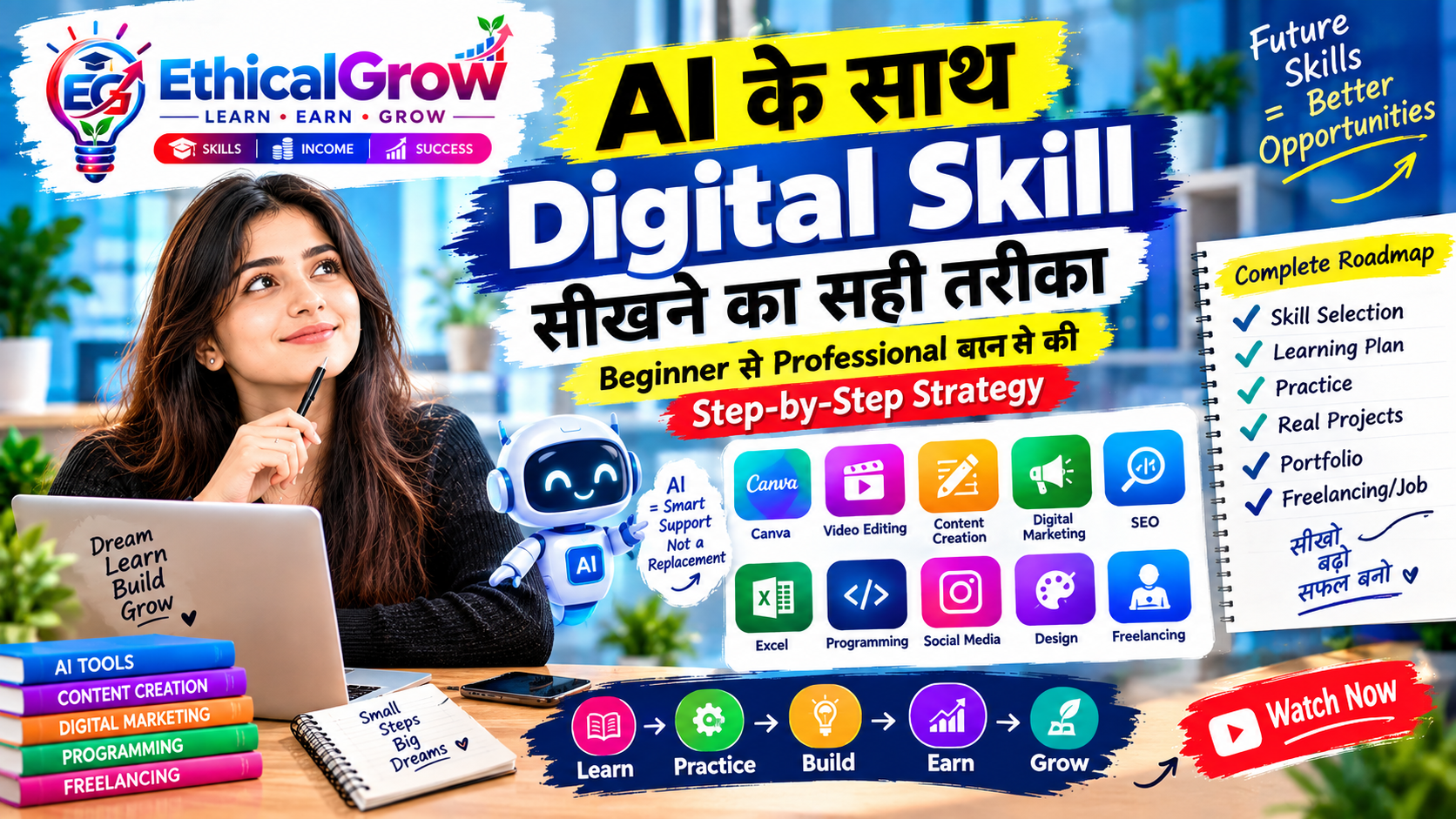
Mobile से Video Editing कैसे सीखें? Beginner से Professional Editor बनने का Step-by-Step Roadmap 2026
Meta Description
Mobile से video editing सीखना चाहते हैं? इस beginner-friendly roadmap में editing basics, cuts, transitions, audio, subtitles, reels, short videos, portfolio और ethical client work का complete process जानिए।
Primary Keyword
Mobile से Video Editing कैसे सीखें
Secondary Keywords
- mobile video editing course
- video editing for beginners
- phone से video edit कैसे करें
- reels editing सीखें
- short video editing roadmap
- VN video editor course
- mobile video editor skills
- video editing portfolio कैसे बनाएं
- beginner freelancing video editing
- social media video editing
Mobile से Video Editing सीखना क्यों जरूरी है?
आज video content हर platform पर दिखाई देता है। Instagram Reels, YouTube Shorts, Facebook videos, educational clips, product videos, tutorials, vlogs, course promotions और business explainers—हर format में video की demand बढ़ रही है।
पहले video editing के लिए high-end computer और expensive software की जरूरत मानी जाती थी। अब smartphone के माध्यम से beginners भी editing सीख सकते हैं। Mobile apps ने editing को accessible बना दिया है, लेकिन professional editing केवल app चलाने का नाम नहीं है।
एक अच्छा editor यह समझता है:
- कौन-सा shot रखना है
- कहाँ cut करना है
- audience का attention कैसे बनाए रखना है
- music और voice को कैसे balance करना है
- captions कब दिखाने हैं
- story को short format में कैसे present करना है
- content को platform के अनुसार कैसे adapt करना है
इसलिए mobile video editing सीखने का सही उद्देश्य केवल effects लगाना नहीं होना चाहिए। सही उद्देश्य होना चाहिए:
Clear, engaging और purposeful videos बनाना जो audience को समझ आएं और किसी वास्तविक communication goal को पूरा करें।
इस Article का Search Intent
यह article उन beginners के लिए है जो:
- mobile phone से video editing सीखना चाहते हैं
- reels, shorts और social media videos बनाना चाहते हैं
- VN, CapCut, InShot या अन्य mobile editors का उपयोग शुरू करना चाहते हैं
- basic से advanced editing roadmap चाहते हैं
- editing portfolio बनाना चाहते हैं
- client work या freelancing की तैयारी करना चाहते हैं
- AI tools को editing workflow में शामिल करना चाहते हैं
- बिना misleading claims के practical video skills सीखना चाहते हैं
यह roadmap किसी guaranteed income या instant success का promise नहीं करता। Video editing एक practice-based skill है और quality, consistency, storytelling तथा client requirements के अनुसार विकसित होती है।
Video Editing वास्तव में क्या है?
Video editing का अर्थ केवल clips को जोड़ना नहीं है। यह raw footage को एक meaningful visual story में बदलने की प्रक्रिया है।
एक editor को कई decisions लेने पड़ते हैं:
- कौन-सा clip useful है?
- कौन-सा clip remove करना है?
- sequence कैसा होना चाहिए?
- video की speed कहाँ बदलनी है?
- background audio कितना loud होना चाहिए?
- subtitles किस style में होने चाहिए?
- intro कितना छोटा रखना है?
- end में viewer को क्या करना चाहिए?
Video editing के पाँच core elements हैं:
- Selection – सही footage चुनना
- Sequence – clips का सही क्रम
- Timing – हर shot की duration
- Audio – voice, music, sound balance
- Presentation – text, color, transitions और style
Mobile Video Editing सीखने से पहले क्या समझें?
1. Hardware से ज्यादा important workflow है
एक अच्छा phone मदद कर सकता है, लेकिन केवल expensive device से editing skill नहीं बनती। शुरुआत के लिए जरूरी है:
- पर्याप्त storage
- stable camera
- अच्छी lighting
- clear audio
- organized files
- नियमित practice
2. Editing का goal तय करें
आप किस तरह की videos बनाना चाहते हैं?
- educational reels
- motivational videos
- product videos
- personal vlogs
- talking-head videos
- tutorials
- event highlights
- course promotions
- business explainers
Goal के अनुसार editing style बदलती है।
3. Short video और long video अलग होते हैं
Short-form videos में:
- first few seconds important होते हैं
- pacing fast हो सकती है
- text और captions ज्यादा prominent होते हैं
- message concise होना चाहिए
Long-form videos में:
- structure ज्यादा detailed होता है
- chapters या sections हो सकते हैं
- pauses और explanations जरूरी हो सकते हैं
Mobile Video Editing Roadmap: Beginner से Professional तक
Stage 1: Mobile Editing App और Interface समझें
आप किसी एक mobile video editor से शुरुआत कर सकते हैं। उदाहरण के लिए:
- VN Video Editor
- CapCut
- InShot
- KineMaster
- Adobe mobile editing tools
- अन्य trusted editing applications
शुरुआत में एक ही app पर focus करना बेहतर है।
Interface में क्या सीखें?
- project create करना
- media import करना
- timeline समझना
- playhead move करना
- clip trim करना
- split करना
- delete करना
- reorder करना
- undo और redo
- text add करना
- music import करना
- export settings
पहला practice task
अपने phone से 5–7 छोटे clips record करें:
- room setup
- notebook
- typing
- walking shot
- close-up
- wide shot
फिर उन्हें timeline में import करके sequence बनाइए।
इस stage का goal
आपको tool locate करने में बार-बार रुकना न पड़े। Editing process natural बनना चाहिए।
Stage 2: Cut, Trim और Timeline Control सीखें
Professional video editing का foundation timeline है।
Trim क्या है?
Clip के शुरुआत या अंत से unwanted portion हटाना trim कहलाता है।
Split क्या है?
एक clip को दो या अधिक parts में बाँटना split कहलाता है।
Cut का महत्व
कई beginners हर clip को पूरा दिखा देते हैं। इससे video slow और repetitive हो सकता है। सही editor:
- pause हटाता है
- repeated words कम करता है
- unnecessary movement remove करता है
- strongest moment रखता है
Basic cutting exercise
एक 60-second talking video रिकॉर्ड करें। फिर:
- शुरुआत का empty pause हटाएं
- repeated lines cut करें
- unnecessary silence कम करें
- strongest sentence पहले रखें
- final video को 30–40 seconds में लाने की कोशिश करें
Golden rule
हर shot का कोई purpose होना चाहिए।
यदि कोई clip story, clarity या emotion में योगदान नहीं दे रहा, तो उसे हटाने पर विचार करें।
Stage 3: Shot Selection और Story Flow समझें
Editing की quality footage selection से शुरू होती है।
Common shot types
- wide shot
- medium shot
- close-up
- over-the-shoulder shot
- top view
- detail shot
- reaction shot
- screen recording
- b-roll
B-roll क्या है?
B-roll supporting footage होता है जो main narration या talking shot को visually interesting बनाता है।
उदाहरण:
यदि आप “Canva सीखने” पर video बना रहे हैं, तो b-roll में दिखा सकते हैं:
- laptop screen
- mouse movement
- notebook notes
- mobile design preview
- thumbnail editing
- typing close-up
Story flow formula
Hook → Context → Main Information → Example → Summary → CTA
Example
Hook: Mobile से professional video editing सीखी जा सकती है
Context: Beginners अक्सर expensive setup को जरूरी समझते हैं
Main Information: Mobile workflow और editing basics
Example: 30-second educational reel
Summary: Clear cuts, audio और captions
CTA: आज से practice शुरू करें
Stage 4: Pacing और Timing सीखें
Video की energy बहुत हद तक pacing पर निर्भर करती है।
Fast pacing कब उपयोग करें?
- reels
- motivational clips
- promotional videos
- trend-based short content
- high-energy announcements
Slow pacing कब उपयोग करें?
- tutorials
- emotional storytelling
- educational explanations
- interviews
- reflective vlogs
Pacing सुधारने के तरीके
- unnecessary pauses काटें
- shot duration vary करें
- visual changes रखें
- important point पर cut करें
- music beat के साथ sequence align करें
- text timing natural रखें
Beginner mistake
हर shot को 1–2 seconds का रखना जरूरी नहीं है। Pacing content के purpose और emotion पर depend करती है।
Stage 5: Audio Editing सीखें
कई videos visually अच्छे होते हैं, लेकिन खराब audio के कारण weak लगते हैं।
Audio में किन elements पर ध्यान दें?
- voice clarity
- background noise
- music volume
- sound effects
- silence
- audio fade
- voice और music balance
Basic audio rules
- voice सबसे clear element होनी चाहिए
- background music voice पर भारी न पड़े
- शुरुआत और अंत में abrupt sound cut न हो
- unnecessary loud effects से बचें
- low-quality audio को केवल filter से पूरी तरह fix नहीं किया जा सकता
Mobile recording tips
- शांत जगह पर record करें
- phone को face के बहुत दूर न रखें
- fan और traffic noise कम करें
- microphone source test करें
- recording से पहले short sample सुनें
Voice-over workflow
- script तैयार करें
- short sentences लिखें
- शांत location चुनें
- एक line में natural बोलें
- mistakes के बीच pause रखें
- editing में unwanted gaps हटाएं
Stage 6: Text, Captions और Subtitles जोड़ें
बहुत से viewers video sound के बिना देखते हैं। इसलिए captions और on-screen text useful हो सकते हैं।
Text कब जोड़ें?
- main point highlight करने के लिए
- key term explain करने के लिए
- video context देने के लिए
- silent viewing support करने के लिए
- CTA दिखाने के लिए
Text design rules
- font readable हो
- text background से contrast करे
- screen के safe area में रहे
- बहुत लंबा paragraph न रखें
- lines छोटे रखें
- important word highlight करें
- हर line का timing voice के साथ match करे
Captions के types
- full subtitles
- keyword captions
- speaker labels
- step indicators
- headline overlays
- checklist text
Caption mistakes
- spelling errors
- speech से mismatch
- बहुत तेज timing
- screen के किनारे text
- overly animated text
- हर शब्द का अलग effect
Stage 7: Transitions का सही उपयोग सीखें
Transitions clips के बीच visual connection बनाते हैं।
Common transitions
- cut
- dissolve
- fade
- slide
- zoom
- whip
- blur
- push
लेकिन हर cut पर transition लगाना जरूरी नहीं है।
Simple rule
यदि transition कहानी या visual continuity improve नहीं कर रहा, तो simple cut पर्याप्त हो सकता है।
Transition mistakes
- बहुत ज्यादा effects
- हर shot पर अलग animation
- content से unrelated transition
- viewer का attention message से हट जाना
- trend follow करने के लिए unnecessary effects
Professional editing अक्सर simple होती है, लेकिन purposeful होती है।
Stage 8: Color और Visual Consistency सीखें
Color grading advanced topic है, लेकिन beginners भी basic visual consistency सीख सकते हैं।
Basic adjustments
- brightness
- contrast
- saturation
- exposure
- warmth
- shadows
- highlights
Consistency क्यों जरूरी है?
यदि एक clip बहुत bright और दूसरा बहुत dark हो, तो video disconnected लग सकता है।
Beginner color workflow
- clips import करें
- सबसे अलग-looking clips पहचानें
- brightness balance करें
- skin tone natural रखें
- saturation moderate रखें
- final preview देखें
Over-editing से बचें
बहुत अधिक saturation, sharpness या filters video को artificial बना सकते हैं।
Reels और Shorts के लिए Mobile Editing Workflow
Step 1: Topic और Hook तय करें
पहले 1–3 seconds में viewer को reason दें कि वह video क्यों देखे।
Hook examples
- “Mobile से editing सीखने की शुरुआत कहाँ से करें?”
- “यह 3 mistakes आपकी reels को कमजोर कर सकती हैं”
- “Professional video बनाने के लिए expensive camera हमेशा जरूरी नहीं होता”
Hook attention-grabbing हो सकता है, लेकिन misleading नहीं होना चाहिए।
Step 2: Script को short रखें
एक short video में:
- एक main idea
- छोटे sentences
- clear example
- concise ending
Step 3: Strong opening shot रखें
- face close-up
- quick movement
- clear text
- object reveal
- screen recording
- visual contrast
Step 4: B-roll जोड़ें
Narration के दौरान supporting visuals रखें।
Step 5: Captions जोड़ें
Mobile viewers के लिए readable caption style रखें।
Step 6: CTA दें
CTA informative और natural हो:
- “ऐसी practical learning guides के लिए Ethical Grow follow करें”
- “आज एक छोटा editing project बनाकर देखें”
- “इस roadmap को save करके practice शुरू करें”
Talking-Head Video Editing का Practical Process
Talking-head videos educational brands और creators के लिए उपयोगी हैं।
Step-by-step workflow
1. Video import करें
Main talking clip को timeline पर रखें।
2. Silence और mistakes remove करें
Long pauses और repeated lines हटाएं।
3. Jump cuts को support करें
Cut के बीच b-roll, zoom या text overlay का उपयोग कर सकते हैं।
4. Key points highlight करें
Important phrases को screen text में दिखाएं।
5. Audio clean करें
Voice level consistent रखें।
6. Intro छोटा रखें
Long logo animation से viewer का attention कम हो सकता है।
7. End screen रखें
Short summary या next action दें।
Mobile Vlog Editing का Complete Formula
Vlog केवल random clips का collection नहीं होना चाहिए। उसमें flow होना चाहिए।
Vlog structure
- opening moment
- today’s context
- activity sequence
- detail shots
- personal reflection
- summary
- closing moment
Vlog में useful shots
- establishing shot
- walking shot
- hand movement
- close-up
- environment shot
- behind-the-scenes
- time-lapse
- screen recording
- reaction shot
Vlog editing tips
- repetitive footage कम रखें
- natural sound का कुछ हिस्सा preserve करें
- story के अनुसार music रखें
- date या location context दें
- overuse of effects से बचें
- transitions simple रखें
AI और Mobile Video Editing का सही उपयोग
AI editing workflow को तेज कर सकता है, लेकिन quality control अभी भी human responsibility है।
AI का उपयोग कहाँ कर सकते हैं?
- script ideas
- video hooks
- title suggestions
- caption drafts
- subtitle cleanup
- shot list planning
- content repurposing
- background removal ideas
- thumbnail concepts
- content summary
AI + Editing Workflow
Idea → Script → Record → Edit → Caption → Review → Publish
Example
- AI से 30-second script बनवाएं
- script को अपनी भाषा में natural बनाएं
- video record करें
- unwanted pauses हटाएं
- captions add करें
- thumbnail बनाएं
- final claim check करें
AI-generated script को बिना review किए publish न करें।
Mobile Video Editing के लिए File Management
Beginners अक्सर files organize नहीं करते और बाद में footage ढूंढने में समय लगता है।
Folder structure
- Raw Footage
- Voice Recordings
- Music
- Sound Effects
- B-roll
- Project Files
- Exports
- Thumbnails
- Published
File naming system
Example:
- EG_AI_Reel_01_Raw
- EG_AI_Reel_01_Final
- EG_AI_Reel_01_Thumbnail
- EG_AI_Reel_01_Caption
Organization आपका editing time कम कर सकती है।
Export Settings की Basic समझ
हर platform के लिए export settings अलग हो सकती हैं, लेकिन beginner को इन चीजों पर ध्यान देना चाहिए:
- resolution
- aspect ratio
- frame rate
- file format
- bitrate
- file size
- audio quality
Common format ideas
- vertical short video: 9:16
- landscape YouTube video: 16:9
- square social post video: 1:1
Final export से पहले यह check करें:
- text cut तो नहीं?
- audio sync सही है?
- black bars तो नहीं?
- quality कम तो नहीं?
- ending complete है?
Mobile Video Editing सीखने का 30-Day Roadmap
Days 1–5: App Basics
- interface explore करें
- clips import करें
- trim और split करें
- timeline reorder करें
- basic export करें
Days 6–10: Cutting Practice
- 30-second talking clip edit करें
- pauses remove करें
- repeated lines cut करें
- b-roll add करें
- simple sequence बनाएं
Days 11–15: Audio और Text
- voice level adjust करें
- background music जोड़ें
- captions add करें
- text timing practice करें
- audio fade use करें
Days 16–20: Reels और Shorts
- 3 short videos बनाएं
- strong hooks test करें
- captions और CTA add करें
- different pacing try करें
- mobile preview देखें
Days 21–25: Vlog और Storytelling
- mini vlog edit करें
- b-roll sequence बनाएं
- natural sound रखें
- intro और ending तैयार करें
- color consistency check करें
Days 26–30: Portfolio
- best 5 edits चुनें
- project descriptions लिखें
- before/after examples बनाएं
- export folders organize करें
- portfolio showcase तैयार करें
90-Day Mobile Video Editing Growth Roadmap
Month 1: Learn
Focus:
- timeline
- cutting
- audio
- text
- export
- simple transitions
Output:
- 10 practice videos
- 3 short reels
- 1 mini vlog
- 1 talking-head edit
Month 2: Practice
Focus:
- storytelling
- pacing
- b-roll
- caption systems
- visual identity
- platform-specific editing
Output:
- 10 polished short videos
- 2 educational campaigns
- 1 branded series
- 1 complete vlog
Month 3: Build
Focus:
- portfolio
- service categories
- client brief understanding
- revisions
- delivery system
Output:
- 5 portfolio projects
- service description
- sample proposal
- content workflow checklist
- professional intro
Video Editing Portfolio कैसे बनाएं?
Portfolio में केवल final videos नहीं, process भी दिखाना उपयोगी हो सकता है।
Portfolio project structure
Project Title
Educational Reel Series for a Digital Learning Brand
Objective
Beginners के लिए AI learning tips को short video format में present करना।
Editing Approach
- concise opening
- clean jump cuts
- readable captions
- supporting b-roll
- simple brand colors
Deliverables
- 3 reels
- 3 cover thumbnails
- caption suggestions
Learning
- hook writing
- timing
- caption placement
- content consistency
Portfolio में exaggeration की जगह clear explanation रखें।
Mobile Video Editing से Ethical Freelancing की तैयारी
यदि आप editing service की तैयारी कर रहे हैं, तो पहले specific service चुनें।
Possible services
- reels editing
- YouTube Shorts editing
- talking-head editing
- vlog editing
- educational video editing
- subtitle editing
- thumbnail support
- social media video packages
- course lesson editing
- business explainer video editing
Client briefing questions
- video किस platform के लिए है?
- final duration कितनी चाहिए?
- raw footage कौन देगा?
- captions किस language में होंगी?
- music client देगा या editor choose करेगा?
- brand colors क्या हैं?
- deadline क्या है?
- revisions कितने होंगे?
- final format क्या चाहिए?
Ethical client communication
किसी भी service को guaranteed views, guaranteed virality या guaranteed sales के रूप में present न करें। Editing quality improve कर सकती है, लेकिन performance कई factors पर depend करती है।
Mobile Video Editing की 15 Common Mistakes
1. हर shot बहुत लंबा रखना
इससे pacing slow हो सकती है।
2. शुरुआत बहुत देर से करना
पहले कुछ seconds important होते हैं।
3. Poor audio
Viewers खराब audio को जल्दी notice करते हैं।
4. Too many transitions
Effects content से ध्यान हटा सकते हैं।
5. Tiny captions
Mobile viewers के लिए readability कम हो जाती है।
6. Music बहुत loud रखना
Voice दब सकती है।
7. Inconsistent color
Clips disconnected दिख सकते हैं।
8. Random b-roll
Supporting visuals relevant होने चाहिए।
9. Overuse of zoom
हर line पर zoom unnatural लग सकता है।
10. Unclear message
Video में एक main idea होना चाहिए।
11. Wrong aspect ratio
Platform पर crop या black bars आ सकते हैं।
12. No final preview
Export से पहले पूरा video देखना जरूरी है।
13. Copying another creator exactly
Inspiration लें, लेकिन अपनी voice और style बनाएं।
14. Misleading hook
Attention के लिए false promise न करें।
15. Unorganized files
Time management और workflow दोनों प्रभावित हो सकते हैं।
Professional Editing Review Checklist
Story
- क्या शुरुआत clear है?
- क्या video में flow है?
- क्या ending complete है?
- क्या message एक है?
Timing
- क्या pauses कम किए गए हैं?
- क्या cuts natural हैं?
- क्या pacing content के अनुसार है?
Audio
- क्या voice clear है?
- क्या music balanced है?
- क्या sound अचानक cut नहीं हो रहा?
Visuals
- क्या captions readable हैं?
- क्या colors consistent हैं?
- क्या b-roll relevant है?
- क्या frame crop सही है?
Technical
- aspect ratio सही है?
- resolution उचित है?
- export quality acceptable है?
- file name organized है?
Policy
- claim factual है?
- title misleading नहीं है?
- visuals unauthorized नहीं हैं?
- audience को भ्रमित नहीं किया गया है?
Ethical Grow के लिए Mobile Video Content Workflow
Step 1: Topic
- AI skills
- Canva
- digital marketing
- SEO
- freelancing basics
- Excel
- productivity
Step 2: Audience
- beginner students
- creators
- job seekers
- small business owners
- digital learners
Step 3: Script
- hook
- context
- 3–5 key points
- practical example
- summary
- CTA
Step 4: Recording
- clean background
- proper lighting
- clear voice
- stable phone
- multiple takes
Step 5: Editing
- remove pauses
- add b-roll
- captions
- brand colors
- simple transitions
- audio balancing
Step 6: Review
- watch without sound
- watch with sound
- mobile preview
- fact check
- CTA check
Step 7: Publish
- correct caption
- suitable thumbnail
- platform-specific format
- audience response tracking
Weekly Content Plan for a Beginner Editor
Monday
Educational reel
Tuesday
Quick tip video
Wednesday
Screen-recording tutorial
Thursday
Behind-the-scenes editing clip
Friday
FAQ video
Saturday
Mini vlog
Sunday
Weekly learning recap
एक ही content को अलग platforms के लिए adapt किया जा सकता है, लेकिन हर platform की audience और format का ध्यान रखें।
Internal-Link Opportunities for Ethical Grow
इस article से निम्न pages की ओर natural internal links दिए जा सकते हैं:
- VN Video Editor Course
- Content Creation Course
- Canva Design Course
- AI Course
- Social Media Content Strategy Guide
- YouTube Mastery Resources
- Facebook Ads Course
- Ethical Grow Blog Section
- Portfolio Building Guide
- Contact और Support Page
Suggested Anchor Text
- mobile video editing course
- VN video editor सीखने का तरीका
- reels editing roadmap
- Canva और video editing skills
- AI-assisted content workflow
- professional content creation guide
- digital skills learning roadmap
Links helpful और relevant होने चाहिए। Unrelated pages पर केवल keywords के लिए link न जोड़ें।
Suggested Image Alt Text
- Beginner editing a short video on a mobile phone
- Mobile video editing roadmap showing learn practice build earn grow
- Student creating reels and captions with a smartphone video editor
- Professional mobile video editing workflow with timeline and audio tools
- Digital content creator building a video editing portfolio on mobile
Featured Image Concept
इस article के featured image के लिए visual concept:
- एक beginner smartphone पर video edit कर रहा हो
- screen पर visible timeline, captions और colorful clips
- background में Ethical Grow logo
- side panel पर Learn → Practice → Build → Earn → Grow
- modern digital learning workspace
- blue, purple, green और red accent colors
- clean, professional और mobile-first composition
- short headline area: Mobile से Video Editing सीखें
FAQ: Mobile से Video Editing
क्या mobile से professional video editing सीखी जा सकती है?
हाँ। Mobile apps से basic और intermediate level की editing अच्छी तरह सीखी जा सकती है। Skills का विकास practice, storytelling, audio और workflow से होता है।
Beginner को कौन-सा editing app सीखना चाहिए?
शुरुआत में एक trusted app चुनें और उसके basic tools अच्छी तरह सीखें। बार-बार app बदलने की बजाय एक workflow पर focus करना बेहतर है।
Video editing सीखने में कितना समय लगता है?
Basic editing कुछ दिनों में समझी जा सकती है, लेकिन professional quality के लिए नियमित practice और project-based learning जरूरी है।
Reels editing में सबसे important skill क्या है?
Clear hook, clean cuts, readable captions, balanced audio और strong pacing बहुत महत्वपूर्ण हैं।
क्या बिना expensive phone के editing संभव है?
हाँ। शुरुआत basic smartphone से की जा सकती है। Storage, lighting, audio और file organization पर ध्यान देना जरूरी है।
क्या AI video editing को पूरी तरह replace कर देगा?
AI कई tasks को तेज कर सकता है, लेकिन storytelling, judgment, brand understanding और final quality control की human भूमिका बनी रहेगी।
क्या mobile video editing से freelancing शुरू की जा सकती है?
हाँ, लेकिन पहले portfolio, service clarity और client communication तैयार करें। किसी भी income या result की guarantee न दें।
क्या हर video में transition लगाना जरूरी है?
नहीं। Simple cuts कई बार अधिक professional लगते हैं। Transition तभी उपयोग करें जब वह visual flow improve करे।
Captions क्यों जरूरी हैं?
कई viewers sound के बिना videos देखते हैं। Captions message को accessible और understandable बना सकते हैं।
क्या video editing से guaranteed income मिलती है?
नहीं। Income skill quality, demand, communication, reliability और project execution पर depend करती है।
30-Day Action Plan
Day 1
एक mobile editing app चुनें।
Day 2
Interface और timeline explore करें।
Day 3
5 clips import करके sequence बनाएं।
Day 4
Trim और split practice करें।
Day 5
Unwanted pauses हटाएं।
Day 6
एक short talking video edit करें।
Day 7
Background music add करें।
Day 8
Voice और music balance करें।
Day 9
Text overlay practice करें।
Day 10
Captions add करें।
Day 11
Simple transition use करें।
Day 12
B-roll जोड़ें।
Day 13
एक educational reel बनाएं।
Day 14
Mobile preview check करें।
Day 15
एक thumbnail concept बनाएं।
Day 16
एक mini vlog record करें।
Day 17
Mini vlog edit करें।
Day 18
Color consistency सुधारें।
Day 19
Hook के तीन versions test करें।
Day 20
CTA और ending improve करें।
Day 21
एक second short video बनाएं।
Day 22
Before/after edit save करें।
Day 23
Files organize करें।
Day 24
एक project description लिखें।
Day 25
Portfolio folder बनाएं।
Day 26
Best 3 edits select करें।
Day 27
Feedback लें।
Day 28
Revisions करें।
Day 29
Service categories लिखें।
Day 30
अगले 60 दिनों का editing growth plan बनाएं।
अंतिम संदेश
Mobile से video editing सीखने के लिए शुरुआत में expensive setup की आवश्यकता नहीं है। एक smartphone, basic app, clear practice plan और consistent effort से आप editing foundation बना सकते हैं।
लेकिन याद रखें:
- editing केवल effects नहीं है
- cuts story को shape करते हैं
- audio viewer experience तय करता है
- captions accessibility बढ़ाते हैं
- pacing attention बनाए रखती है
- b-roll context देता है
- simple transitions अक्सर अधिक professional होते हैं
- portfolio आपकी practical ability दिखाता है
Ethical Grow का learning approach follow करें:
Learn → Practice → Build → Earn → Grow
आज app सीखिए।
आज 30-second edit बनाइए।
इस सप्ताह एक reel और एक mini vlog complete कीजिए।
इस महीने अपना पहला editing portfolio तैयार कीजिए।
Video editing धीरे-धीरे मजबूत होती है, लेकिन structured learning और real projects के साथ यह एक valuable digital skill बन सकती है।
Short Social Promotion Copy
क्या mobile से professional video editing सीखी जा सकती है?
हाँ—अगर आप सही roadmap follow करें।
इस complete guide में जानिए:
- mobile editing basics
- cut और trim
- audio balancing
- captions
- transitions
- reels और shorts
- vlog editing
- AI-assisted workflow
- portfolio building
- ethical freelancing preparation
Learn → Practice → Build → Earn → Grow
Suggested CTA
अगर आप mobile से video editing, reels और digital content creation step-by-step सीखना चाहते हैं, तो Ethical Grow के learning resources explore करें और आज से अपना पहला editing project शुरू करें।