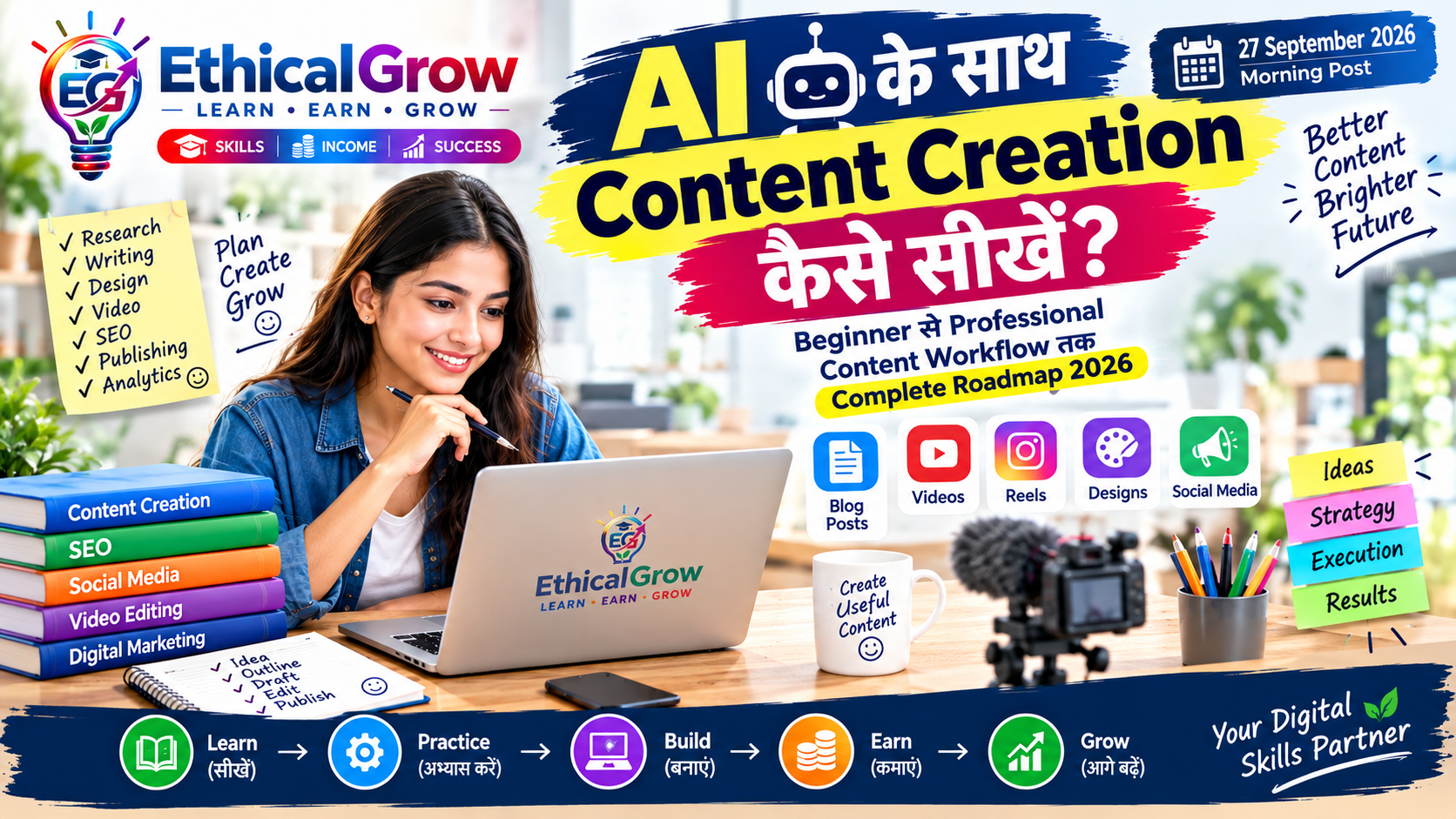
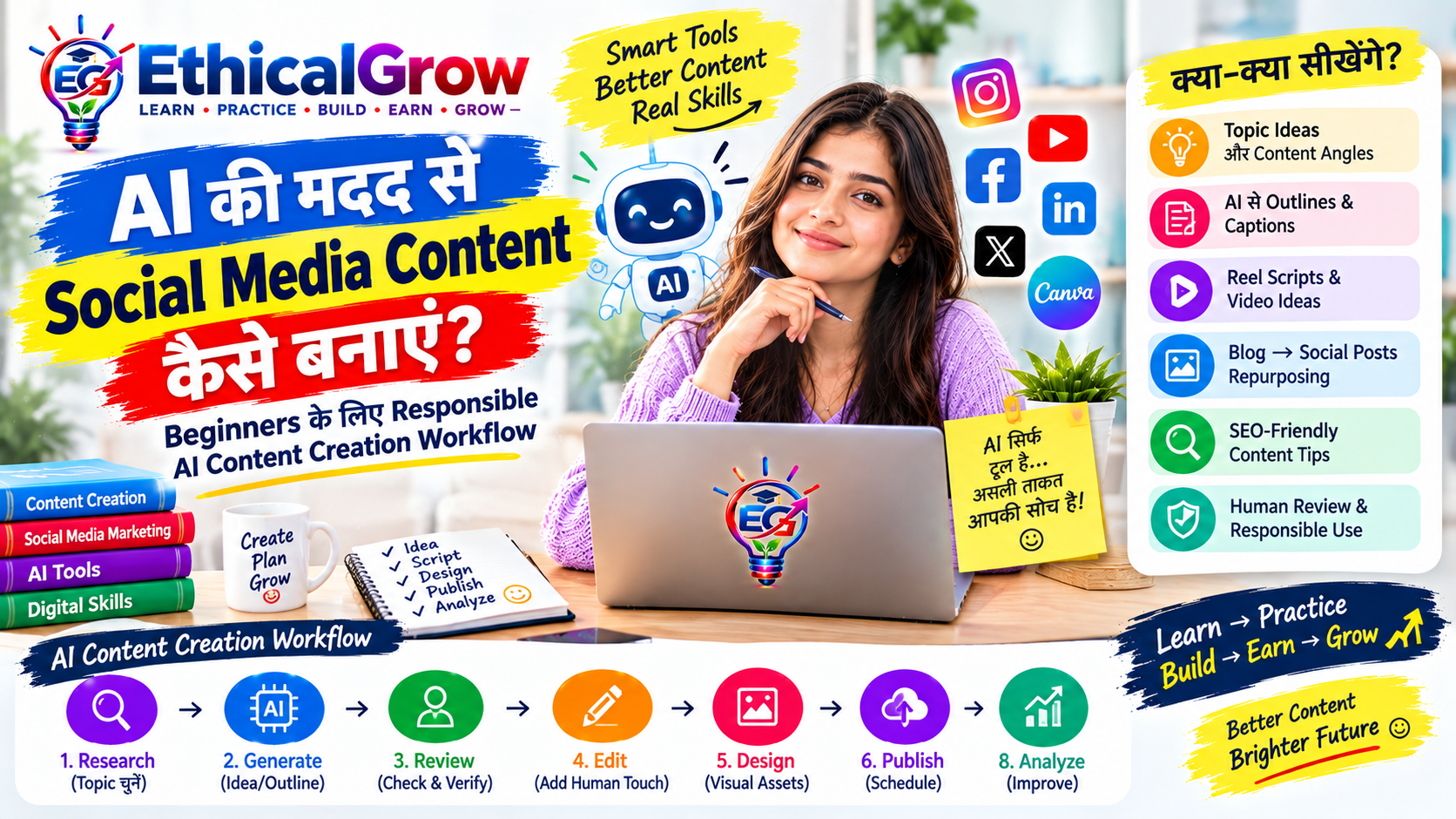
आज के Ethical Grow October 2026 content roadmap के अनुसार मुख्य topic AI Tools है। यह supporting post beginners को यह समझने में मदद करता है कि AI tools की बड़ी संख्या में से अपने learning, content creation, productivity और digital-work goals के लिए सही tool कैसे चुना जाए।
AI का उद्देश्य केवल “एक prompt लिखकर answer लेना” नहीं है। सही approach यह है कि AI को research, brainstorming, drafting, analysis, learning और repetitive tasks में एक assistant की तरह इस्तेमाल किया जाए, जबकि final decision, fact-checking और quality control इंसान के हाथ में रहे।
AI Tools क्या होते हैं?
AI tools ऐसे software या online services हैं जो artificial intelligence और machine-learning techniques का उपयोग करके किसी specific काम में सहायता करते हैं।
उदाहरण के लिए AI tools का उपयोग किया जा सकता है:
- Content ideas generate करने में
- Text draft करने में
- Images या design concepts बनाने में
- Video ideas और scripts तैयार करने में
- Data को समझने में
- Summarization करने में
- Translation और language improvement में
- Coding assistance में
- Research को organize करने में
- Productivity बढ़ाने में
लेकिन हर AI tool हर काम के लिए suitable नहीं होता।
एक beginner की सबसे common गलती यही होती है कि वह केवल popular होने के आधार पर tools इस्तेमाल करना शुरू कर देता है।
सही तरीका है:
Goal → Task → Tool → Prompt → Review → Improve
Beginners के लिए AI Tools का सही Framework
AI tool चुनने से पहले यह पाँच सवाल पूछें:
1. मुझे क्या काम करना है?
पहले task define करें।
उदाहरण:
“मुझे Instagram post बनानी है।”
यह बहुत broad requirement है।
इसे बेहतर तरीके से define करें:
“मुझे beginners के लिए AI Tools पर 1080×1350 educational Instagram post का content और visual concept चाहिए।”
अब tool selection आसान होगा।
2. Output किस format में चाहिए?
AI से output कई formats में लिया जा सकता है:
- Text
- Table
- Checklist
- Script
- Image concept
- Code
- Spreadsheet formula
- Presentation outline
- Research summary
अगर output format पहले से defined होगा, तो AI का response अधिक usable बनाया जा सकता है।
3. क्या information sensitive है?
AI tool में data डालने से पहले यह देखना जरूरी है कि उसमें:
- Password
- OTP
- Bank details
- Private documents
- Personal identification information
- Confidential business information
- Customer data
जैसी sensitive information तो नहीं है।
Sensitive information को बिना उचित privacy controls के किसी AI service में paste नहीं करना चाहिए।
AI Tools को Category के अनुसार समझें
Beginner के लिए tools को नाम याद करने की बजाय category समझना ज्यादा useful है।
1. AI Chat & Learning Tools
इनका उपयोग किया जा सकता है:
- Concepts समझने के लिए
- Ideas generate करने के लिए
- Notes बनाने के लिए
- Questions पूछने के लिए
- Draft तैयार करने के लिए
- Learning roadmap बनाने के लिए
Example
अगर आप SEO सीख रहे हैं, तो केवल यह न पूछें:
“SEO क्या है?”
इसके बजाय:
“मुझे SEO beginner से intermediate level तक सीखना है। इसे 30-day practical roadmap में divide करें और हर दिन एक छोटा task दें।”
इससे answer अधिक actionable हो सकता है।
2. AI Writing & Content Tools
Content creation में AI मदद कर सकता है:
- Blog outline
- Social media captions
- Video scripts
- Headlines
- FAQs
- Content repurposing
- Grammar improvement
लेकिन AI-generated content को बिना review के publish करना अच्छा workflow नहीं है।
Practical workflow
Research → AI Draft → Human Review → Fact Check → Edit → Publish
इस process से content अधिक useful और context-specific बनाया जा सकता है।
3. AI Image & Design Tools
Design-related AI tools से:
- Visual concepts
- Social media graphics
- Background ideas
- Thumbnail concepts
- Creative directions
- Image variations
तैयार करने में मदद मिल सकती है।
लेकिन brand identity के लिए केवल AI-generated image पर निर्भर रहना जरूरी नहीं है।
एक practical workflow:
Idea → Prompt → Generate → Select → Edit → Brand Elements → Final Design
उदाहरण:
अगर Ethical Grow के लिए AI Tools post बनानी है, तो prompt में सिर्फ:
“AI tools post बनाओ”
लिखने की बजाय audience और purpose बताएं:
“Indian beginners के लिए AI Tools सीखने पर educational Instagram carousel concept तैयार करें। Design modern, clean और professional हो। प्रत्येक slide पर एक clear learning point हो।”
4. AI Video Tools
Video creation में AI का उपयोग:
- Script ideas
- Scene planning
- Voiceover drafts
- Subtitle assistance
- Short-form video concepts
- B-roll ideas
के लिए किया जा सकता है।
10-second Reel example
Topic: AI Tools
Scene 1:
“AI Tools सीखना कहाँ से शुरू करें?”
Scene 2:
“पहले अपना goal तय करें।”
Scene 3:
“फिर task के लिए सही tool चुनें।”
Scene 4:
“Prompt लिखें और output review करें।”
Scene 5:
“AI को assistant बनाएं, replacement नहीं।”
यह approach educational content के लिए ज्यादा practical है।
5. AI Coding Tools
Programming सीखने वाले learners AI को:
- Code explanation
- Debugging assistance
- Example generation
- Documentation समझने
- Error analysis
- Learning exercises
में इस्तेमाल कर सकते हैं।
लेकिन generated code को blindly copy करना beginner के लिए useful learning strategy नहीं है।
अगर AI ने PHP code दिया है, तो यह समझना भी जरूरी है:
- Code क्या कर रहा है?
- Input कहाँ से आ रहा है?
- Database query कैसे चल रही है?
- Validation है या नहीं?
- Security risk क्या हो सकता है?
6. AI Data & Productivity Tools
AI का उपयोग data और productivity tasks में भी किया जा सकता है।
उदाहरण:
- Spreadsheet formulas समझना
- Data categories identify करना
- Reports summarize करना
- Meeting notes organize करना
- Task lists बनाना
- Research points classify करना
लेकिन data analysis में AI output को original data से verify करना जरूरी है।
सही AI Tool चुनने की Quick Checklist
किसी tool को use करने से पहले यह checklist देखें:
Tool Selection Checklist
☐ मेरा task clearly defined है
☐ मुझे required output format पता है
☐ Tool मेरे task के लिए suitable है
☐ Pricing/free limits समझे हैं
☐ Privacy policy और data handling को जरूरत के अनुसार check किया है
☐ Sensitive information upload नहीं कर रहा हूँ
☐ AI output को verify करूँगा
☐ Final content में human review होगा
☐ Copyright/licensing requirements समझी हैं
☐ Tool के limitations पता हैं
Example: एक Beginner के लिए AI Workflow
मान लीजिए कोई learner Instagram content creation सीख रहा है।
वह पूरा काम एक ही AI tool से करवाने के बजाय workflow बना सकता है।
Step 1 — Topic
“AI Tools for Beginners”
Step 2 — Research
Relevant information collect करें।
Step 3 — Outline
AI से structure बनवाएँ:
- Introduction
- AI tools categories
- Use cases
- Beginner mistakes
- Practical workflow
- Checklist
- FAQ
Step 4 — Draft
AI से initial draft तैयार कराया जा सकता है।
Step 5 — Human Editing
अपनी language, examples और experience जोड़ें।
Step 6 — Visual
Design tool से carousel/thumbnail तैयार करें।
Step 7 — Review
Check करें:
- Facts
- Grammar
- Links
- Claims
- Branding
- Formatting
Step 8 — Publish
Final version publish करें।
Beginners की 10 Common AI Mistakes
1. हर काम के लिए एक ही tool इस्तेमाल करना
एक tool text के लिए अच्छा हो सकता है, लेकिन जरूरी नहीं कि वही image, video या data analysis के लिए भी best fit हो।
2. बहुत छोटा prompt लिखना
“Blog लिखो” की बजाय context दें।
3. AI output को fact मान लेना
AI गलत या incomplete information दे सकता है।
4. बिना editing के publish करना
AI-generated draft को human review की जरूरत हो सकती है।
5. Sensitive data डालना
Private information को बिना उचित safeguards के AI tool में upload नहीं करना चाहिए।
6. Copyright ignore करना
Generated या AI-assisted assets के उपयोग से पहले relevant licensing और platform rules check करें।
7. Tool के features पर focus, skill पर नहीं
20 tools जानने से ज्यादा useful है 3–5 tools को सही workflow में इस्तेमाल करना।
8. हर output को “perfect” मान लेना
AI assistant है; quality control user की responsibility रहती है।
9. Fake claims बनाना
Content में unsupported statistics, rankings, testimonials या performance claims नहीं जोड़ने चाहिए।
10. Learning को पूरी तरह AI पर छोड़ देना
AI से answer लेना और concept समझना दो अलग चीजें हैं।
AI Tools सीखने का 7-Day Beginner Action Plan
Day 1 — AI Basics
AI क्या है, generative AI क्या है और AI tools की categories समझें।
Day 2 — Chat-Based AI
एक chat-based AI tool के साथ structured prompts practice करें।
Day 3 — Prompt Practice
एक ही task के लिए तीन अलग prompts लिखें और outputs compare करें।
Day 4 — Content Creation
एक छोटा blog outline और social post तैयार करें।
Day 5 — Design
एक educational social-media visual concept तैयार करें।
Day 6 — Productivity
AI की मदद से एक real-world workflow बनाएं।
Day 7 — Mini Project
एक छोटा project complete करें:
Topic → Research → Prompt → Content → Design → Review → Final Output
AI Prompt का Simple Formula
Beginners इस formula को याद रख सकते हैं:
Role + Task + Context + Audience + Format + Constraints
Example
“आप एक digital-skills educator की तरह काम करें। Beginners के लिए AI Tools पर एक educational Instagram carousel का content तैयार करें। Audience Indian beginners है। 7 slides रखें। प्रत्येक slide पर एक practical point दें। भाषा simple Hindi/Hinglish रखें और unsupported claims से बचें।”
यह केवल “AI Tools पर post बनाओ” से अधिक specific है।
AI Tool इस्तेमाल करने के बाद Human Review क्यों जरूरी है?
AI का output final answer नहीं बल्कि working material हो सकता है।
Review करते समय देखें:
Accuracy
क्या facts सही हैं?
Relevance
क्या content audience के काम का है?
Originality
क्या content generic या repetitive तो नहीं?
Clarity
क्या beginner इसे आसानी से समझ सकता है?
Compliance
क्या इसमें misleading या unsupported claim तो नहीं?
Brand Fit
क्या language और presentation Ethical Grow की educational positioning से match करती है?
AI + Human Skill का Practical Model
AI को replacement की तरह देखने के बजाय एक assistant की तरह देखें।
एक useful model है:
Human Goal → AI Assistance → Human Review → Final Decision
उदाहरण:
Human: Topic और audience तय करता है।
AI: Ideas और draft देता है।
Human: Facts और context check करता है।
AI: Editing या restructuring में सहायता करता है।
Human: Final version approve करता है।
यही workflow long-term digital skills development में ज्यादा useful है।
FAQ
क्या beginner को बहुत सारे AI tools सीखने चाहिए?
नहीं। शुरुआत में कुछ relevant categories समझना और selected tools को अच्छे workflow में इस्तेमाल करना ज्यादा practical है।
क्या AI-generated content सीधे publish किया जा सकता है?
Publish करने से पहले human review, fact-checking, editing और platform requirements की जांच करना बेहतर है।
क्या AI tools से coding सीखी जा सकती है?
हाँ, AI explanation, examples और debugging assistance दे सकता है। लेकिन learner को generated code को समझना और स्वयं practice करना चाहिए।
क्या free AI tools beginners के लिए पर्याप्त हैं?
कई learning और basic tasks के लिए free options उपयोगी हो सकते हैं। जरूरत बढ़ने पर features, limits, privacy और pricing की तुलना की जा सकती है।
क्या AI हर सवाल का सही answer देता है?
नहीं। AI output को context और importance के अनुसार verify करना चाहिए।
AI सीखने का सबसे अच्छा तरीका क्या है?
एक real project चुनें और उसी में AI को step-by-step इस्तेमाल करें। केवल tools की list याद करने की बजाय workflow बनाना ज्यादा useful है।
आज का Quick Action Challenge
आज केवल 30–45 मिनट निकालकर यह exercise करें:
Step 1: एक real task चुनें।
Step 2: उसका clear goal लिखें।
Step 3: AI से एक detailed prompt बनवाएँ।
Step 4: उसी task पर prompt इस्तेमाल करें।
Step 5: output में कम से कम 3 improvements identify करें।
Step 6: खुद edit करके final version तैयार करें।
Step 7: अगली बार prompt को और specific बनाएं।
इस exercise का उद्देश्य केवल AI output लेना नहीं है, बल्कि AI-assisted workflow बनाना सीखना है।
Final Takeaway
AI Tools सीखने का मतलब ज्यादा से ज्यादा tools के नाम याद करना नहीं है। असली digital skill यह समझना है कि किस problem के लिए कौन-सा tool, किस input और किस workflow के साथ इस्तेमाल करना है।
एक beginner के लिए सबसे practical sequence है:
Learn → Choose → Prompt → Create → Verify → Improve → Build
जब AI को इस तरह structured workflow में इस्तेमाल किया जाता है, तो यह learning, content creation, productivity, design, coding और कई digital tasks में एक useful assistant बन सकता है।
Ethical Grow approach: पहले skill सीखें, फिर उसे practice करें, real projects बनाएं और अपनी capabilities को responsible तरीके से आगे बढ़ाएँ।
Today 11:53 AM
October Supporting Post
Prompt Engineering for Beginners: बेहतर AI Results के लिए Practical Prompt कैसे लिखें
आज का Ethical Grow supporting topic: Prompt Engineering
AI tools का इस्तेमाल करते समय अक्सर समस्या tool में नहीं, बल्कि instruction देने के तरीके में होती है। एक ही AI tool को दो लोग इस्तेमाल कर सकते हैं, लेकिन उनके results काफी अलग हो सकते हैं। इसका एक बड़ा कारण prompt की clarity, context और expected output होता है।
Prompt Engineering का मतलब केवल “अच्छा prompt लिखना” नहीं है। इसका practical मतलब है कि AI को काम, context, audience, format और limitations स्पष्ट रूप से बताई जाएँ, फिर मिले output को review करके prompt को improve किया जाए।
Beginners के लिए सबसे useful approach यह है:
Goal → Context → Instruction → Format → Constraints → Review → Improve
Prompt Engineering क्या है?
Prompt वह instruction या input है जो हम AI system को देते हैं ताकि वह कोई specific output तैयार करे।
उदाहरण:
“SEO पर article लिखो।”
यह एक basic prompt है।
इसे ज्यादा useful बनाया जा सकता है:
“आप एक digital education content writer की तरह काम करें। Indian beginners के लिए SEO basics पर एक practical Hindi/Hinglish guide तैयार करें। 1,500 शब्दों के आसपास content रखें। H1/H2 headings, beginner examples, common mistakes, action checklist और FAQ शामिल करें। Unsupported ranking या traffic guarantees न दें।”
दूसरे prompt में AI को ज्यादा context दिया गया है। इससे desired output की दिशा ज्यादा स्पष्ट हो जाती है।
Prompt Engineering क्यों महत्वपूर्ण है?
AI से काम लेते समय तीन चीजें महत्वपूर्ण होती हैं:
1. आपको क्या चाहिए?
Goal clear होना चाहिए।
2. AI को context कितना पता है?
Audience, platform, subject और purpose बताने से output ज्यादा relevant हो सकता है।
3. Output किस रूप में चाहिए?
अगर आपको table चाहिए और आपने format नहीं बताया, तो AI अलग structure दे सकता है।
इसलिए prompt में केवल task नहीं, बल्कि expected result भी बताना useful है।
Beginner Prompt Formula
एक simple formula याद रखें:
Role + Task + Context + Audience + Format + Constraints
इसे एक example से समझें।
Weak Prompt
“Instagram post बनाओ।”
Better Prompt
“आप एक social media educator की तरह काम करें। Indian beginners के लिए ‘Prompt Engineering’ पर educational Instagram carousel का content तैयार करें। 7 slides रखें। भाषा simple Hindi/Hinglish हो। प्रत्येक slide पर एक practical learning point दें। अंतिम slide पर responsible learning CTA दें। Guaranteed results या exaggerated claims का उपयोग न करें।”
यह prompt AI को ज्यादा direction देता है।
Prompt का पहला हिस्सा: Role
AI को role बताना हर situation में जरूरी नहीं है, लेकिन complex tasks में यह helpful हो सकता है।
उदाहरण:
“आप एक SEO content strategist की तरह सोचें।”
या:
“आप एक beginner-friendly programming tutor की तरह explain करें।”
या:
“आप एक professional video script editor की तरह structure तैयार करें।”
Role का उद्देश्य AI को context और perspective देना है।
लेकिन केवल “expert बनो” लिखना पर्याप्त नहीं है। Actual task और requirements भी बतानी चाहिए।
दूसरा हिस्सा: Task
AI को साफ बताएं कि उसे करना क्या है।
अस्पष्ट
“Marketing में help करो।”
स्पष्ट
“Digital education website के लिए beginner audience को target करने वाले 10 educational content ideas तैयार करें।”
Task जितना स्पष्ट होगा, output को evaluate करना उतना आसान होगा।
तीसरा हिस्सा: Context
Context prompt का बहुत important हिस्सा है।
उदाहरण के लिए:
“यह content उन beginners के लिए है जिन्हें digital marketing की basic जानकारी भी नहीं है।”
अब AI को audience का level पता है।
इसी तरह context में यह भी बताया जा सकता है:
- Website किस बारे में है
- Content किस platform के लिए है
- Audience कौन है
- Current skill level क्या है
- Content का purpose क्या है
- कौन-सी limitations हैं
चौथा हिस्सा: Audience
एक ही topic अलग audiences के लिए अलग तरह से explain किया जा सकता है।
उदाहरण:
Topic: Python
Beginner के लिए:
“Python programming को बिल्कुल basic level से समझाएं।”
Student के लिए:
“Python सीखने के लिए practical exercises सहित 30-day study plan बनाएं।”
Working professional के लिए:
“Data analysis में Python के practical use cases explain करें।”
इसलिए prompt में audience लिखना output quality improve करने का practical तरीका है।
पाँचवाँ हिस्सा: Output Format
AI को format बताने से response अधिक structured हो सकता है।
आप कह सकते हैं:
- Table में दें
- Bullet points में दें
- Step-by-step दें
- 10 slides में दें
- JSON format में दें
- FAQ format में दें
- H1/H2/H3 structure में दें
- Short script में दें
- Checklist में दें
Example
“उत्तर को 5 sections में divide करें और प्रत्येक section के अंत में एक practical example दें।”
इससे output की structure पहले से defined हो जाती है।
छठा हिस्सा: Constraints
Constraints यानी limitations या boundaries।
उदाहरण:
“Language simple Hindi/Hinglish रखें।”
“500 शब्दों से अधिक न हो।”
“Technical jargon को beginner-friendly तरीके से explain करें।”
“Unsupported statistics का उपयोग न करें।”
“Guaranteed income या guaranteed ranking claims न करें।”
यह content quality और responsible communication के लिए useful है।
Prompt Engineering का Practical Example
मान लीजिए आपको Ethical Grow के लिए blog बनाना है।
Step 1 — Goal
Prompt Engineering पर beginner guide बनानी है।
Step 2 — Audience
Indian digital-skills beginners।
Step 3 — Format
2,000 शब्द का structured article।
Step 4 — Sections
- Definition
- Importance
- Prompt formula
- Examples
- Mistakes
- Checklist
- Action plan
- FAQ
Step 5 — Constraints
Simple Hindi/Hinglish, practical examples, no unsupported promises।
अब पूरा prompt ज्यादा useful बन जाएगा।
Prompt को Improve करने का 5-Step Method
अगर पहला output अच्छा नहीं आया तो तुरंत tool को दोष न दें।
यह process अपनाएँ:
Step 1: Output देखें
क्या missing है?
Step 2: Problem identify करें
क्या:
- बहुत generic है?
- बहुत लंबा है?
- audience गलत है?
- examples कम हैं?
- structure खराब है?
Step 3: Prompt में missing information जोड़ें
जो कमी मिली, उसे next prompt में स्पष्ट करें।
Step 4: Output compare करें
देखें कि improvement आया या नहीं।
Step 5: Final human editing करें
AI output को अपनी requirement के अनुसार edit करें।
एक Prompt के Multiple Versions
Version 1 — Basic
“Canva के बारे में article लिखें।”
Version 2 — Contextual
“Beginners के लिए Canva के basics पर Hindi/Hinglish article लिखें।”
Version 3 — Structured
“Indian beginners के लिए Canva basics पर 1,500 शब्दों का practical article लिखें। H2 headings, examples, beginner mistakes, checklist और FAQ शामिल करें।”
Version 4 — Detailed
“आप digital-skills educator की भूमिका में Indian beginners के लिए Canva basics पर practical learning guide तैयार करें। Reader को शुरुआत से पहला simple social media design बनाने तक guide करें। H1/H2/H3 structure, step-by-step workflow, practical examples, beginner mistakes, quick checklist, FAQ और final action plan शामिल करें। Language simple Hindi/Hinglish रखें और unsupported claims से बचें।”
यह progression दिखाता है कि context जोड़ने से prompt अधिक specific बन सकता है।
Beginner Mistakes in Prompt Engineering
1. बहुत छोटा prompt
“Content लिखो।”
इसमें AI को audience, purpose और format का पता नहीं है।
2. बहुत सारी unrelated instructions
एक ही prompt में कई अलग tasks डालने से output confusing हो सकता है।
बेहतर है complex task को steps में divide करें।
3. Audience नहीं बताना
Beginner और expert के लिए एक जैसा explanation useful नहीं होगा।
4. Output format नहीं बताना
अगर आपको table चाहिए, तो table मांगें।
अगर checklist चाहिए, तो checklist मांगें।
5. First output को final मान लेना
पहला output working draft हो सकता है।
6. Fact-check नहीं करना
AI-generated information को context और importance के अनुसार verify करना चाहिए।
7. Sensitive information डालना
Passwords, OTPs, private customer information या confidential business data को बिना उचित privacy safeguards के prompt में डालना avoid करें।
8. AI को हर decision देना
AI suggestions दे सकता है, लेकिन important decisions के लिए human judgment जरूरी है।
9. Copy-paste publishing
AI output को सीधे publish करने की बजाय:
Review → Edit → Verify → Publish
workflow रखें।
10. केवल tools सीखना
Prompt Engineering की skill केवल prompts की लंबी list जमा करना नहीं है।
असल skill है:
Problem को सही तरह define करना।
Prompt Engineering Quick Checklist
Prompt भेजने से पहले पूछें:
☐ मेरा goal clear है?
☐ Task specific है?
☐ Audience बताई है?
☐ Context दिया है?
☐ Desired format बताया है?
☐ Length बताई है?
☐ Language बताई है?
☐ Important limitations बताई हैं?
☐ Sensitive information हटाई है?
☐ Output verify करने का plan है?
अगर इनमें से अधिकांश points clear हैं, तो आपका prompt काफी structured हो सकता है।
Practical Example: Social Media Post
मान लीजिए आपको AI Tools पर Instagram post चाहिए।
Prompt
“Indian beginners के लिए AI Tools सीखने पर 7-slide educational Instagram carousel तैयार करें। Language simple Hindi/Hinglish रखें। Slide 1 में clear hook, slides 2–6 में practical learning points और slide 7 में responsible action-oriented CTA दें। Content educational और original हो। Guaranteed income, guaranteed results, misleading claims या engagement bait का उपयोग न करें। प्रत्येक slide के लिए short headline और 2–3 supporting lines दें।”
अब AI को:
- Audience
- Topic
- Platform
- Slide count
- Language
- Structure
- Compliance requirements
सब पता है।
Practical Example: SEO Blog
अगर आपको SEO article चाहिए:
“Beginners के लिए SEO basics पर 2,000 शब्दों की Hindi/Hinglish practical guide तैयार करें। Search intent को स्पष्ट करें। H1/H2/H3 structure, SEO title, meta description, primary keyword, secondary keywords, beginner examples, common mistakes, quick checklist, action plan और FAQ शामिल करें। Ranking या traffic की guarantee न दें। Content original, useful और reader-first रखें।”
यह prompt एक generic request की तुलना में अधिक specific है।
7-Day Prompt Engineering Practice
Day 1 — Basic Prompt
एक simple task के लिए prompt लिखें।
Day 2 — Context
उसी prompt में audience और context जोड़ें।
Day 3 — Format
Output format specify करें।
Day 4 — Constraints
Length, language और limitations जोड़ें।
Day 5 — Compare
एक ही task के 3 prompts बनाकर outputs compare करें।
Day 6 — Improve
सबसे कमजोर output की समस्या identify करके prompt सुधारें।
Day 7 — Mini Project
एक complete workflow बनाएं:
Idea → Prompt → AI Output → Review → Improved Prompt → Final Output
यह exercise prompt-writing को practical skill में बदलने में मदद कर सकती है।
FAQ
क्या Prompt Engineering केवल programmers के लिए है?
नहीं। Writing, education, marketing, design, research, productivity और कई अन्य digital tasks में structured prompting उपयोगी हो सकती है।
क्या लंबा prompt हमेशा बेहतर होता है?
जरूरी नहीं। Prompt में वही information होनी चाहिए जो task के लिए relevant है। Clear और useful context, केवल length से ज्यादा महत्वपूर्ण है।
क्या English में ही prompt लिखना जरूरी है?
नहीं। कई AI systems अलग-अलग भाषाओं में instructions समझ सकते हैं। जिस language में आप requirement clearly explain कर सकते हैं, उसका उपयोग करें; जरूरत के अनुसार bilingual prompts भी इस्तेमाल किए जा सकते हैं।
क्या एक ही prompt हर AI tool पर काम करेगा?
जरूरी नहीं। अलग-अलग tools के capabilities, input formats और limitations अलग हो सकते हैं।
क्या Prompt Engineering सीखने के लिए coding जरूरी है?
नहीं। Basic prompting के लिए coding जरूरी नहीं है। हालांकि technical fields में advanced workflows के लिए programming knowledge उपयोगी हो सकती है।
क्या AI का output हमेशा accurate होता है?
नहीं। Important information को verify करना चाहिए, खासकर जब output factual, financial, legal, technical या business decisions में इस्तेमाल होना हो।
आज का Action Challenge
आज एक वास्तविक task चुनें—जैसे:
Blog → Instagram Post → Reel Script → SEO Outline → Study Plan
फिर उसी task के लिए चार prompts बनाएं:
Prompt 1: Basic
Prompt 2: Context के साथ
Prompt 3: Format + audience के साथ
Prompt 4: Complete constraints के साथ
इसके बाद चारों outputs को compare करें।
अपने लिए यह note करें:
“किस prompt ने मेरी requirement को सबसे अच्छी तरह समझा और क्यों?”
यही exercise आपको prompt लिखने से आगे बढ़ाकर prompt thinking सिखाएगी।
Final Takeaway
Prompt Engineering का core principle बहुत simple है:
AI को बेहतर answer देने के लिए केवल ज्यादा शब्द नहीं, बल्कि सही information देनी होती है।
एक practical prompt workflow रखें:
Define → Contextualize → Instruct → Format → Constrain → Review → Improve
और सबसे महत्वपूर्ण बात—AI को final authority मानने की बजाय assistant की तरह इस्तेमाल करें।
Ethical Grow के digital-skills approach में Prompt Engineering को एक standalone trick की तरह नहीं, बल्कि AI Tools, Content Creation, SEO, Marketing, Data और Productivity जैसी skills के साथ जोड़कर सीखना ज्यादा practical है।
आज का लक्ष्य: एक real task चुनें, उसका structured prompt लिखें, output को review करें और फिर prompt का improved version बनाएं। यही छोटी practice आगे चलकर AI-assisted digital workflow बनाने की foundation बन सकती है।