Meta Description
2026 में AI के साथ कौन-सी digital skills सीखनी चाहिए? Beginner के लिए skill selection, practice, portfolio, job और freelancing का practical roadmap जानें।
Focus Keyword
AI के साथ Digital Skills
Secondary Keywords
- AI skills 2026
- digital skills सीखें
- AI से job skills
- AI freelancing skills
- beginner digital skills
- AI career roadmap 2026
- AI के साथ freelancing
- future skills 2026
Suggested Slug
ai-ke-sath-digital-skills-2026-complete-roadmap
AI के साथ कौन-सी Digital Skills सीखें? 2026 में Beginner से Job और Freelancing तक Complete Roadmap
आज के समय में digital skills सीखने का मतलब केवल computer चलाना या किसी एक software को सीख लेना नहीं है।
काम करने का तरीका बदल रहा है। Content लिखने से लेकर graphic design, video editing, data analysis, marketing, customer support और business operations तक कई workflows में Artificial Intelligence का इस्तेमाल बढ़ रहा है।
लेकिन इसी बदलाव के साथ एक नया सवाल भी सामने आता है:
अगर AI इतना काम कर सकता है, तो beginner को आखिर क्या सीखना चाहिए?
क्या सिर्फ AI tools चलाना काफी है?
क्या केवल prompt लिखना एक career skill है?
क्या हर व्यक्ति को coding सीखनी चाहिए?
क्या freelancing के लिए expensive tools जरूरी हैं?
और सबसे महत्वपूर्ण—
2026 में ऐसी कौन-सी skills सीखें जिन्हें AI के साथ मिलाकर practical काम किया जा सके?
इस article का उद्देश्य किसी एक career को “सबसे अच्छा” बताना नहीं है। इसका उद्देश्य आपको एक practical framework देना है जिससे आप अपनी रुचि, वर्तमान skill level और career goal के अनुसार skill चुन सकें।
Google की current guidance भी people-first और genuinely useful content पर जोर देती है। केवल AI-generated या search engine को ध्यान में रखकर बनाया गया generic content long-term value नहीं देता।
इसलिए यहां हम सिर्फ tools की list नहीं बनाएंगे।
हम समझेंगे:
Skill → AI → Practice → Portfolio → Real Work
का पूरा process।
1. 2026 में Digital Skills क्यों बदल रही हैं?
पहले digital work में किसी व्यक्ति को कई repetitive tasks manually करने पड़ते थे।
उदाहरण:
- एक article का outline बनाना
- research notes तैयार करना
- spreadsheet organize करना
- social media captions लिखना
- video script बनाना
- thumbnail ideas सोचना
- basic data analysis करना
- presentation तैयार करना
आज इनमें से कई tasks में AI assistance ली जा सकती है।
लेकिन इसका अर्थ यह नहीं है कि skill की जरूरत खत्म हो गई।
इसके बजाय skill की definition बदल रही है।
पहले:
Tool चलाना = Skill
अब कई workflows में:
Problem समझना + सही tool चुनना + AI को निर्देश देना + output verify करना + final result देना = Skill
यही difference beginner को समझना चाहिए।
2. केवल AI Tool सीखना पर्याप्त क्यों नहीं है?
मान लीजिए किसी व्यक्ति को एक AI chatbot इस्तेमाल करना आता है।
वह prompt लिख सकता है:
“एक article लिखो।”
AI article बना देगा।
लेकिन client को केवल text नहीं चाहिए।
उसे चाहिए:
- सही information
- सही audience
- अच्छा structure
- original angle
- SEO-friendly formatting
- readable language
- accurate facts
- CTA
- editing
- publishing-ready output
इसलिए केवल AI tool जानने वाले व्यक्ति और AI-assisted professional के बीच काफी अंतर हो सकता है।
2026 के Upwork Future Workforce Index में भी AI के साथ अधिक complex, professional और workflow-oriented work की value पर जोर दिया गया है।
इसका practical lesson है:
AI को अपनी skill का replacement नहीं, productivity layer समझें।
3. Beginner के लिए Skill चुनने का Simple Formula
अगर आप बिल्कुल beginner हैं तो एक साथ 10 skills शुरू न करें।
पहले एक primary skill चुनें।
इसके लिए यह formula इस्तेमाल करें:
Interest + Market Need + Practice Ability + AI Assistance
उदाहरण:
अगर आपको visual design पसंद है:
Graphic Design + AI
अगर video पसंद है:
Video Editing + AI
अगर writing पसंद है:
Content Writing + AI
अगर numbers और spreadsheets पसंद हैं:
Excel/Data Analysis + AI
अगर technology में interest है:
Programming + AI
अगर marketing पसंद है:
Digital Marketing + AI
इस approach में AI अलग skill नहीं, बल्कि आपकी primary skill को मजबूत करने वाला tool बनता है।
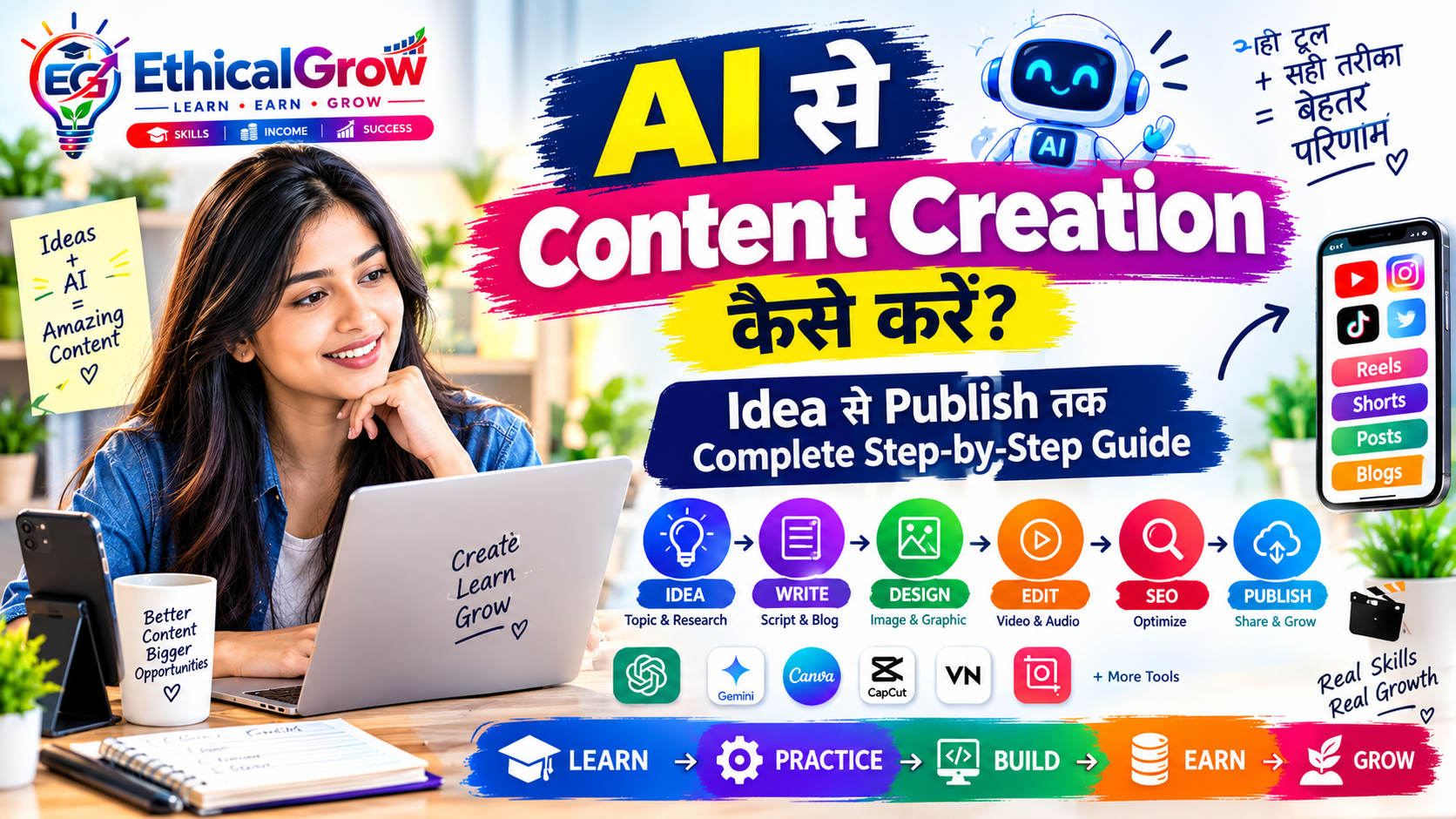
4. AI + Content Creation
Content creation आज कई digital workflows का हिस्सा है।
आप इसमें सीख सकते हैं:
- Content research
- Blog writing
- Social media content
- Script writing
- Short-form video ideas
- Content calendar
- SEO basics
- Thumbnail planning
- Content repurposing
Beginner Workflow
Step 1: Topic चुनें
↓
Step 2: Audience identify करें
↓
Step 3: Research करें
↓
Step 4: AI से outline बनवाएं
↓
Step 5: अपनी information और examples जोड़ें
↓
Step 6: Draft तैयार करें
↓
Step 7: Fact-check करें
↓
Step 8: Human editing करें
↓
Step 9: Visual बनाएं
↓
Step 10: Publish करें
यही workflow किसी beginner को केवल “AI text generator” बनने से बचाता है।
5. AI + Graphic Design
अगर आपको images, posters, thumbnails और social media creatives बनाना पसंद है तो graphic design एक practical digital skill हो सकती है।
आप सीख सकते हैं:
- Typography
- Color basics
- Layout
- Branding
- Social media design
- Thumbnail design
- Presentation design
- Basic photo editing
AI का उपयोग किया जा सकता है:
- Design ideas के लिए
- Concept generation के लिए
- Background ideas के लिए
- Copy variations के लिए
- Creative directions के लिए
- Image-generation workflows में
लेकिन final design में human decisions महत्वपूर्ण रहते हैं।
उदाहरण:
AI आपको 5 thumbnail concepts दे सकता है।
लेकिन:
कौन-सा concept audience के लिए सबसे clear है?
यह decision creator को करना है।
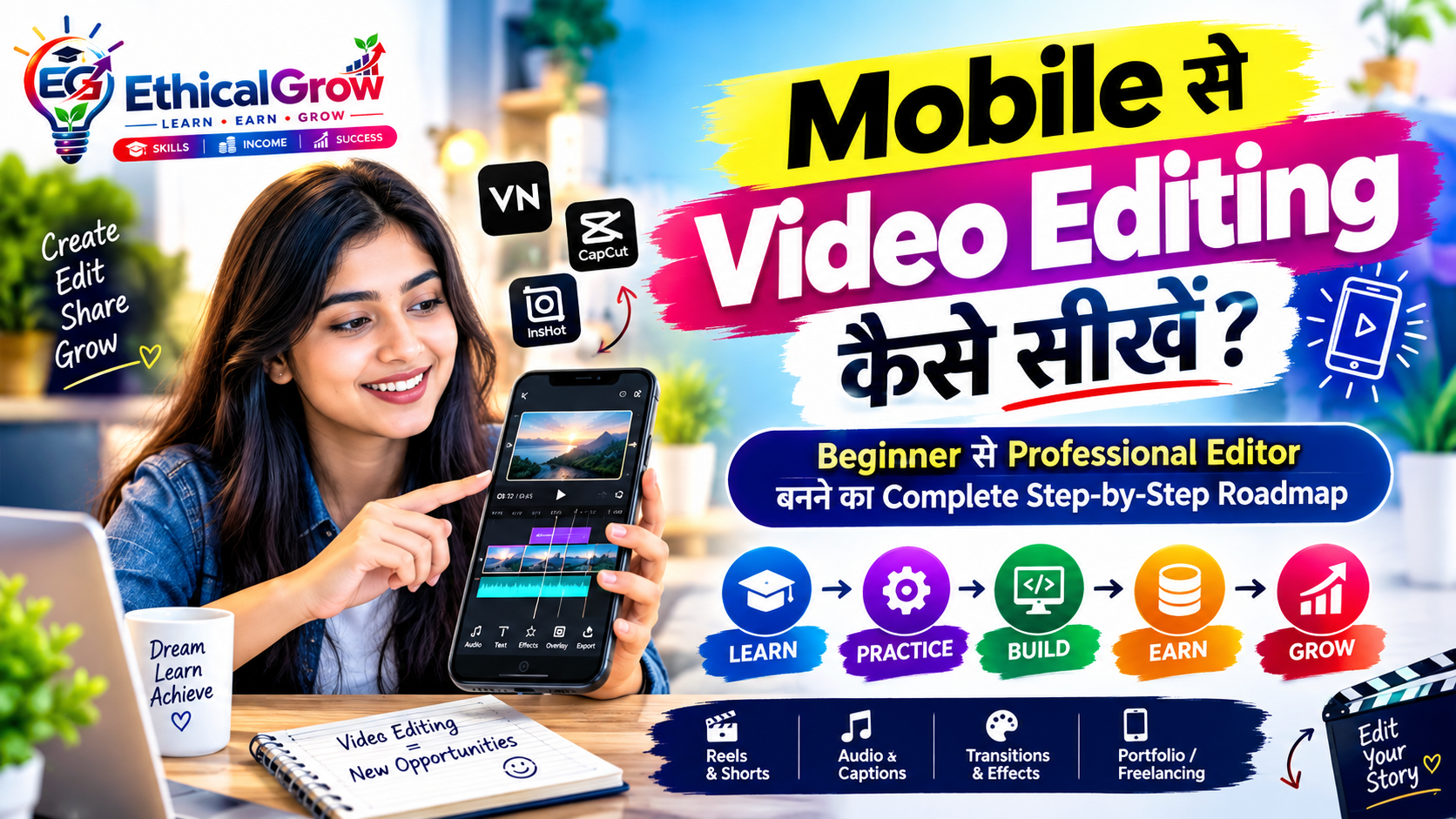
6. AI + Video Editing
Short videos, educational videos, product explainers और social media content के कारण video skill कई creators के workflow का महत्वपूर्ण हिस्सा बन चुकी है।
Beginner को शुरुआत में यह सीखना चाहिए:
Basic Level
- Cutting
- Trimming
- Transitions
- Text
- Captions
- Music
- Aspect ratio
- Export settings
Intermediate Level
- Story structure
- Hook
- B-roll
- Color correction
- Audio cleanup
- Motion elements
AI Assistance
AI का उपयोग किया जा सकता है:
- Script ideas
- Hook variations
- Caption generation
- Subtitle assistance
- Content repurposing
- Video outline
- Scene planning
लेकिन अच्छा video केवल AI-generated script से नहीं बनता।
Story + Editing + Timing + Audience understanding अभी भी महत्वपूर्ण हैं।
7. AI + SEO Content
अगर आपको writing और research पसंद है तो SEO एक useful supporting skill हो सकती है।
SEO सीखते समय केवल keywords पर ध्यान न दें।
एक modern workflow में समझना चाहिए:
- Search intent
- Topic research
- Content structure
- Internal linking
- Title writing
- Meta description
- Headings
- FAQs
- Structured data
- Image optimization
- Search Console
- Content quality
Google की current documentation के अनुसार AI Search के लिए अलग से कोई magical writing format जरूरी नहीं है। Google people-first, unique और useful content पर focus करने की सलाह देता है।
इसलिए:
AI से 5,000 शब्द generate करना ≠ अच्छा SEO article
बल्कि:
Research + unique information + useful structure + accuracy + reader satisfaction = better content foundation
8. AI + Excel और Data Skills
अगर आपको numbers, tables और business information के साथ काम करना पसंद है तो Excel और data skills एक अलग रास्ता हो सकता है।
Beginner topics:
- Excel formulas
- Sorting
- Filtering
- Tables
- Conditional formatting
- Charts
- Pivot tables
- Data cleaning
- Basic analysis
AI assistance से आप:
- Formula समझ सकते हैं
- Formula errors troubleshoot कर सकते हैं
- Data-analysis approaches समझ सकते हैं
- Report structure तैयार कर सकते हैं
- Documentation बना सकते हैं
लेकिन data को blindly AI के भरोसे छोड़ना सही approach नहीं है।
आपको यह समझना चाहिए कि:
Input सही है या नहीं?
Calculation सही है या नहीं?
Result business context में meaningful है या नहीं?
9. AI + Programming
अगर आपको technology और logical problem solving पसंद है तो programming एक longer-term learning path हो सकता है।
Beginner के लिए:
- HTML
- CSS
- JavaScript
- Python
- SQL
- Git/GitHub
- APIs
- Basic databases
सीखे जा सकते हैं।
AI coding में मदद कर सकता है:
- Code explanation
- Debugging ideas
- Documentation
- Code examples
- Test cases
- Learning exercises
लेकिन beginner को पूरा code blindly copy करके project नहीं बनाना चाहिए।
अगर code समझ में नहीं आता तो problem आने पर उसे fix करना कठिन हो सकता है।
इसलिए:
AI-generated code → समझें → test करें → modify करें → document करें
यह बेहतर learning workflow है।
10. AI + Digital Marketing
Digital marketing में कई अलग-अलग skills शामिल हो सकती हैं:
- Social media marketing
- Content strategy
- SEO
- Email marketing
- Analytics
- Campaign planning
- Basic advertising
- Landing page optimization
AI का उपयोग किया जा सकता है:
- Content ideas
- Audience research assistance
- Campaign variations
- Content calendars
- Copy drafts
- Reporting summaries
लेकिन marketing में numbers और actual business objectives को समझना जरूरी है।
केवल “viral content” बनाने का लक्ष्य हर business के लिए सही नहीं होता।
किसी business का उद्देश्य हो सकता है:
- Awareness
- Website traffic
- Leads
- Customer education
- Product discovery
- Repeat customers
इसलिए strategy पहले और tool बाद में।
11. AI + Virtual Assistance
अगर आपको organization और communication पसंद है तो virtual assistance भी explore किया जा सकता है।
Possible tasks:
- Email organization
- Calendar management
- Document formatting
- Research
- Data entry
- Spreadsheet management
- Customer support assistance
- Meeting notes
AI repetitive documentation और summarization में मदद कर सकता है।
लेकिन confidentiality और sensitive information को लेकर हमेशा सावधानी रखें।
12. 2026 में सबसे जरूरी Skill: Problem Solving
कई beginners पूछते हैं:
“मुझे कौन-सा AI tool सीखना चाहिए?”
एक बेहतर सवाल है:
“मैं कौन-सी समस्या solve करना सीखना चाहता हूँ?”
उदाहरण:
Problem:
“Small business को हर सप्ताह social media content चाहिए।”
Possible skill:
Content Strategy + Design + AI
Problem:
“Business data को monthly report में बदलना है।”
Possible skill:
Excel/Data Analysis + AI
Problem:
“Educational videos बनानी हैं।”
Possible skill:
Video Editing + Scriptwriting + AI
Problem:
“Website बनानी है।”
Possible skill:
Web Development + AI
यानी career planning को tool-first की जगह problem-first बनाना अधिक practical हो सकता है।
13. 30-Day Beginner Roadmap
अब practical roadmap देखते हैं।
Day 1–5: Skill Selection
पहले decide करें:
- मुझे क्या पसंद है?
- मैं कितना समय दे सकता हूं?
- मेरे पास कौन-सा device है?
- मुझे writing/design/video/data/coding में क्या interest है?
- मेरा लक्ष्य job है, freelancing है या personal project?
एक primary skill चुनें।
Day 6–10: Fundamentals
इन दिनों केवल basics सीखें।
उदाहरण:
Graphic Design:
- Typography
- Layout
- Spacing
- Basic branding
Video:
- Cutting
- Timeline
- Audio
- Text
Writing:
- Research
- Outline
- Structure
- Editing
Excel:
- Formulas
- Tables
- Filters
- Charts
Coding:
- Syntax
- Variables
- Functions
- Basic projects
14. Day 11–20: Practice
अब tutorials देखने से ज्यादा practice करें।
एक daily project बनाएं।
उदाहरण:
Content Creator
हर दिन एक short article या social post।
Designer
हर दिन एक social creative।
Video Editor
हर दिन एक 30–60 second edited video।
Excel Learner
हर दिन एक small dataset पर practice।
Programmer
हर दिन एक small coding problem या mini-feature।
यहां goal perfection नहीं है।
Goal है:
Learning → Doing
15. Day 21–25: Portfolio बनाना
Portfolio के लिए paid client का इंतजार जरूरी नहीं है।
आप sample projects बना सकते हैं।
उदाहरण:
Designer
5 social media designs
Video Editor
3 edited sample videos
Content Writer
3 detailed articles
Excel Learner
3 dashboard/report examples
Programmer
2–3 small projects
लेकिन portfolio में साफ बताएं कि कौन-सा project:
- Practice project है
- Personal project है
- Client project है
Fake client results या fake testimonials इस्तेमाल न करें।
16. Day 26–30: Real-World Workflow
अब एक complete project शुरू करें।
मान लीजिए आपने content creation चुना।
Project:
एक educational blog + 3 social posts + 1 short video + thumbnail
पूरा workflow खुद करें:
Research
↓
Outline
↓
AI assistance
↓
Draft
↓
Fact-check
↓
Editing
↓
Design
↓
Video
↓
SEO
↓
Publish
अब आपके पास केवल certificate नहीं बल्कि दिखाने के लिए practical work भी है।
17. 60-Day Roadmap
पहले 30 दिन foundation और portfolio के लिए रखें।
अगले 30 दिन specialization के लिए।
उदाहरण:
Month 1
Skill Foundation
Month 2
Skill + AI Workflow
अब आप अपने chosen field में advanced workflow सीख सकते हैं।
उदाहरण:
Content:
Writing + SEO + AI + Analytics
Design:
Design + Branding + AI
Video:
Editing + Storytelling + AI
Data:
Excel + Analytics + AI
Programming:
Coding + Git + APIs + AI
18. 90-Day Roadmap
90 दिनों के बाद लक्ष्य “मैंने course पूरा कर लिया” नहीं होना चाहिए।
बल्कि:
90-Day Target
एक clear skill
एक AI-assisted workflow
एक portfolio
कई practice projects
professional profile
real-world applications
यह approach आपको learning से execution की तरफ ले जाती है।
19. Freelancing शुरू करने से पहले क्या तैयार करें?
Freelancing को केवल account बनाने तक सीमित न रखें।
पहले तैयार करें:
1. Skill
आप क्या service देंगे?
2. Portfolio
आपने क्या बनाया है?
3. Service Description
आप client की कौन-सी problem solve करते हैं?
4. Communication
आप requirements कैसे समझेंगे?
5. Delivery Process
काम कैसे deliver करेंगे?
6. Revision Process
Client feedback कैसे handle करेंगे?
7. Professional Documentation
Files और communication कैसे organize करेंगे?
20. First Client के लिए Practical Approach
First client पाने के लिए केवल “मुझे काम चाहिए” कहना पर्याप्त नहीं है।
इसके बजाय अपनी service को problem-solving तरीके से present करें।
उदाहरण:
कम स्पष्ट:
“मैं graphic designer हूं।”
ज्यादा स्पष्ट:
“मैं small businesses के लिए social media creatives तैयार करता/करती हूं।”
Content के लिए:
“मैं educational और business websites के लिए reader-focused blog content तैयार करता/करती हूं।”
Video के लिए:
“मैं short-form educational और promotional videos edit करता/करती हूं।”
यह client को आपकी service समझने में मदद करता है।
21. AI से काम करते समय सबसे बड़ी गलती
सबसे common mistake है:
AI output को बिना जांचे publish कर देना।
AI-generated information में mistakes हो सकती हैं।
इसलिए हमेशा check करें:
- Facts
- Names
- Numbers
- Dates
- Links
- Claims
- Copyright-sensitive material
- Client requirements
विशेष रूप से health, finance, legal और other high-stakes topics में अतिरिक्त verification जरूरी है।
22. क्या AI से बना Content Google में आ सकता है?
AI इस्तेमाल करना अपने-आप में content को search से बाहर नहीं करता।
असल सवाल है:
Content useful, accurate, original और people-first है या नहीं?
Google की current guidance specifically unique, useful और trustworthy content पर जोर देती है और यह भी बताती है कि केवल AI Search के लिए content को किसी special “hack” से format करने की आवश्यकता नहीं है।
इसलिए EthicalGrow जैसे educational platform के लिए बेहतर workflow होगा:
Human Research + AI Assistance + Human Review + Original Examples + Clear Structure
23. क्या 3,000–5,000 शब्द का Article हमेशा बेहतर होता है?
नहीं।
Word count अपने आप ranking की guarantee नहीं देता।
अगर किसी सवाल का सही answer 1,500 शब्द में हो जाता है तो केवल 5,000 शब्द पूरा करने के लिए unnecessary paragraphs जोड़ना reader के लिए useful नहीं है।
Google की guidance भी page length के लिए कोई fixed requirement नहीं बताती और audience-first content बनाने पर जोर देती है।
इसलिए इस article की लंबाई का उद्देश्य केवल word count पूरा करना नहीं है।
उद्देश्य है:
एक beginner को actionable roadmap देना।
24. EthicalGrow Learning Framework
EthicalGrow के लिए digital skill development को इस simple framework में समझा जा सकता है:
Learn
पहले fundamentals सीखें।
Practice
Daily छोटे projects बनाएं।
Build
Portfolio तैयार करें।
Earn
अपनी skill का उपयोग legitimate freelance या work opportunities में करें।
Grow
Feedback लेकर skill और service quality improve करें।
यहां earning को guaranteed result की तरह नहीं समझना चाहिए।
किसी व्यक्ति का outcome उसकी skill, experience, market demand, communication, consistency और opportunities सहित कई factors पर depend करता है।
25. Beginner के लिए Daily Routine
अगर आपके पास रोज 2 घंटे हैं:
30 मिनट
Learning
45 मिनट
Practical work
20 मिनट
AI-assisted experimentation
15 मिनट
Review और notes
अगर आपके पास केवल 1 घंटा है:
20 मिनट Learning
30 मिनट Practice
10 मिनट Review
Consistency कई beginners के लिए एक practical advantage बन सकती है।
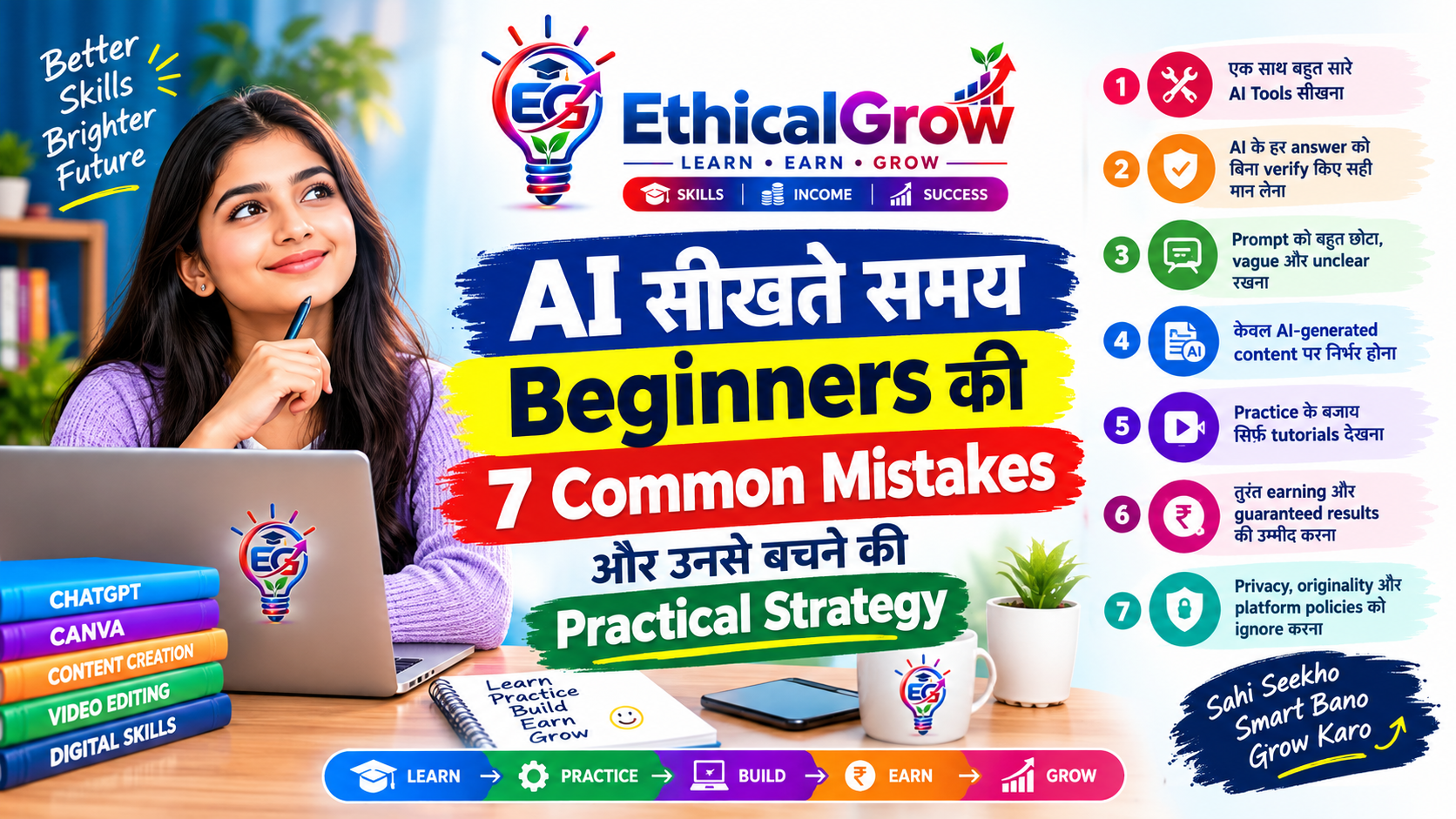
26. AI Skill सीखते समय क्या नहीं करना चाहिए?
❌ हर दिन नया tool बदलना
आज एक tool, कल दूसरा और परसों तीसरा सीखने से fundamentals कमजोर रह सकते हैं।
❌ केवल tutorials देखना
Watching ≠ Practicing.
❌ Fake portfolio बनाना
अपना वास्तविक काम दिखाएं।
❌ Fake testimonials
किसी व्यक्ति या client का नाम बिना permission के इस्तेमाल न करें।
❌ Guaranteed income claims
कोई legitimate skill हर व्यक्ति को निश्चित income guarantee नहीं करती।
❌ AI output को blindly publish करना
Review जरूरी है।
❌ Copyrighted content copy करना
Original work और properly licensed resources का इस्तेमाल करें।
27. Skill चुनने के लिए एक छोटा Self-Test
इन questions के answer लिखें:
Q1. मुझे लिखना पसंद है?
हाँ → Content/SEO explore करें।
Q2. मुझे visual चीजें पसंद हैं?
हाँ → Graphic Design explore करें।
Q3. मुझे videos पसंद हैं?
हाँ → Video Editing explore करें।
Q4. मुझे numbers और tables पसंद हैं?
हाँ → Excel/Data explore करें।
Q5. मुझे technology और logic पसंद है?
हाँ → Programming explore करें।
Q6. मुझे communication और business पसंद है?
हाँ → Digital Marketing/VA explore करें।
इसके बाद एक skill चुनकर कम से कम कुछ सप्ताह consistently practice करें।
28. AI का सही इस्तेमाल क्या है?
एक simple rule याद रखें:
AI से पूछें:
“मैं इसे बेहतर तरीके से कैसे कर सकता हूं?”
न कि:
“मेरे लिए पूरा काम कर दो।”
उदाहरण:
गलत learning approach:
“मेरे लिए पूरा website बना दो।”
Better approach:
“मुझे beginner level पर responsive website बनाने का structure समझाओ और फिर हर section explain करो।”
इससे AI teacher, assistant और productivity tool की तरह काम कर सकता है।
29. 2026 के लिए एक Practical Skill Stack
एक beginner को अपनी primary skill के साथ supporting skills जोड़नी चाहिए।
उदाहरण:
Content Creator
Writing + SEO + AI + Design
Video Creator
Editing + Storytelling + AI + Social Media
Designer
Graphic Design + Branding + AI + Marketing
Data Professional
Excel + Data Analysis + AI + Reporting
Developer
Programming + Git + APIs + AI
Digital Marketer
Content + SEO + Analytics + AI
यह skill-stack approach आपको केवल एक tool पर dependent होने से बचाती है।
30. Final 90-Day Action Plan
Month 1 — Foundation
- एक skill चुनें
- Basics सीखें
- रोज practice करें
- AI को assistant की तरह इस्तेमाल करें
Month 2 — Portfolio
- 5–10 meaningful projects बनाएं
- Best work select करें
- Portfolio तैयार करें
- अपनी service define करें
Month 3 — Real-World Application
- Professional profile बनाएं
- Relevant opportunities खोजें
- Sample work share करें
- Client communication सीखें
- Feedback लें
- Skill improve करें
यही process learning को practical direction देता है।
Frequently Asked Questions
क्या beginner 2026 में AI सीख सकता है?
हाँ। शुरुआत basic AI concepts और किसी एक practical skill से की जा सकती है। पहले tool list याद करने के बजाय एक real workflow चुनना ज्यादा उपयोगी हो सकता है।
क्या केवल prompt engineering सीखना पर्याप्त है?
केवल prompts लिखना किसी व्यक्ति के लिए पर्याप्त career foundation हो, यह जरूरी नहीं। किसी domain skill के साथ AI का उपयोग करना ज्यादा practical approach है।
क्या AI से freelancing की जा सकती है?
AI किसी freelancer की productivity बढ़ाने में मदद कर सकता है। लेकिन freelancing में skill, portfolio, communication, client requirements और delivery quality भी महत्वपूर्ण हैं।
क्या AI-generated content Google में rank कर सकता है?
AI का इस्तेमाल अपने आप ranking guarantee या penalty नहीं तय करता। Google की guidance people-first, useful, original और trustworthy content पर जोर देती है।
कौन-सी skill सबसे ज्यादा कमाई देगी?
किसी एक skill के लिए सभी लोगों पर लागू होने वाली guaranteed income बताना उचित नहीं है। Skill की value experience, specialization, market demand और quality of work जैसे factors पर निर्भर करती है।
बिना experience के portfolio कैसे बनाएं?
Personal projects, practice projects और clearly labelled sample work बनाएं। Fake clients या fake results न बनाएं।
AI सीखने के लिए coding जरूरी है?
नहीं। AI का उपयोग content, design, video, marketing, research, productivity और कई non-coding workflows में भी किया जा सकता है।
क्या expensive AI tools जरूरी हैं?
शुरुआत में जरूरी नहीं। पहले fundamentals और workflow सीखें। उसके बाद जरूरत के अनुसार tools चुनें।
Conclusion: 2026 में Skill से ज्यादा जरूरी है Skill + Workflow
AI के आने के बाद digital world में एक महत्वपूर्ण बदलाव हुआ है।
अब केवल यह जानना कि “कौन-सा AI tool कैसे इस्तेमाल करना है” पर्याप्त नहीं है।
एक मजबूत learning approach यह है:
Problem समझें → Skill सीखें → AI इस्तेमाल करें → Output verify करें → Project बनाएं → Portfolio तैयार करें → Real-world work में apply करें।
अगर आप beginner हैं तो एक साथ दस चीजें सीखने की जरूरत नहीं है।
एक skill चुनें।
30 दिन practice करें।
फिर AI को उस skill के साथ integrate करें।
फिर portfolio बनाएं।
फिर real-world opportunities explore करें।
और लगातार feedback के आधार पर improve करें।
यही Learn → Practice → Build → Earn → Grow approach digital skills को practical direction दे सकती है।
AI तेजी से बदल रहा है, लेकिन learning, problem-solving, communication, creativity, judgment और quality work की जरूरत खत्म नहीं हुई है।
बल्कि कई workflows में इन skills को AI tools के साथ जोड़ना और भी महत्वपूर्ण हो रहा है। 2026 के workforce research में भी AI-assisted और अधिक complex professional work की ओर बदलाव दिखाई देता है।
इसलिए आज से शुरुआत करने का सबसे practical तरीका है:
एक skill चुनिए।
एक real problem चुनिए।
AI को assistant बनाइए।
हर दिन कुछ बनाइए।
और अपने काम का portfolio तैयार कीजिए।
🔎 SEO / Publishing Checklist
H1: AI के साथ कौन-सी Digital Skills सीखें? 2026 में Beginner से Job और Freelancing तक Complete Roadmap
Primary Keyword: AI के साथ Digital Skills
Suggested Internal Links:
- EthicalGrow Courses
- AI Course
- Content Creation Course
- Canva / Graphic Design Course
- Video Editing Course
- Google SEO Course
- Python Programming Course
- Advance Excel Course
Image ALT:
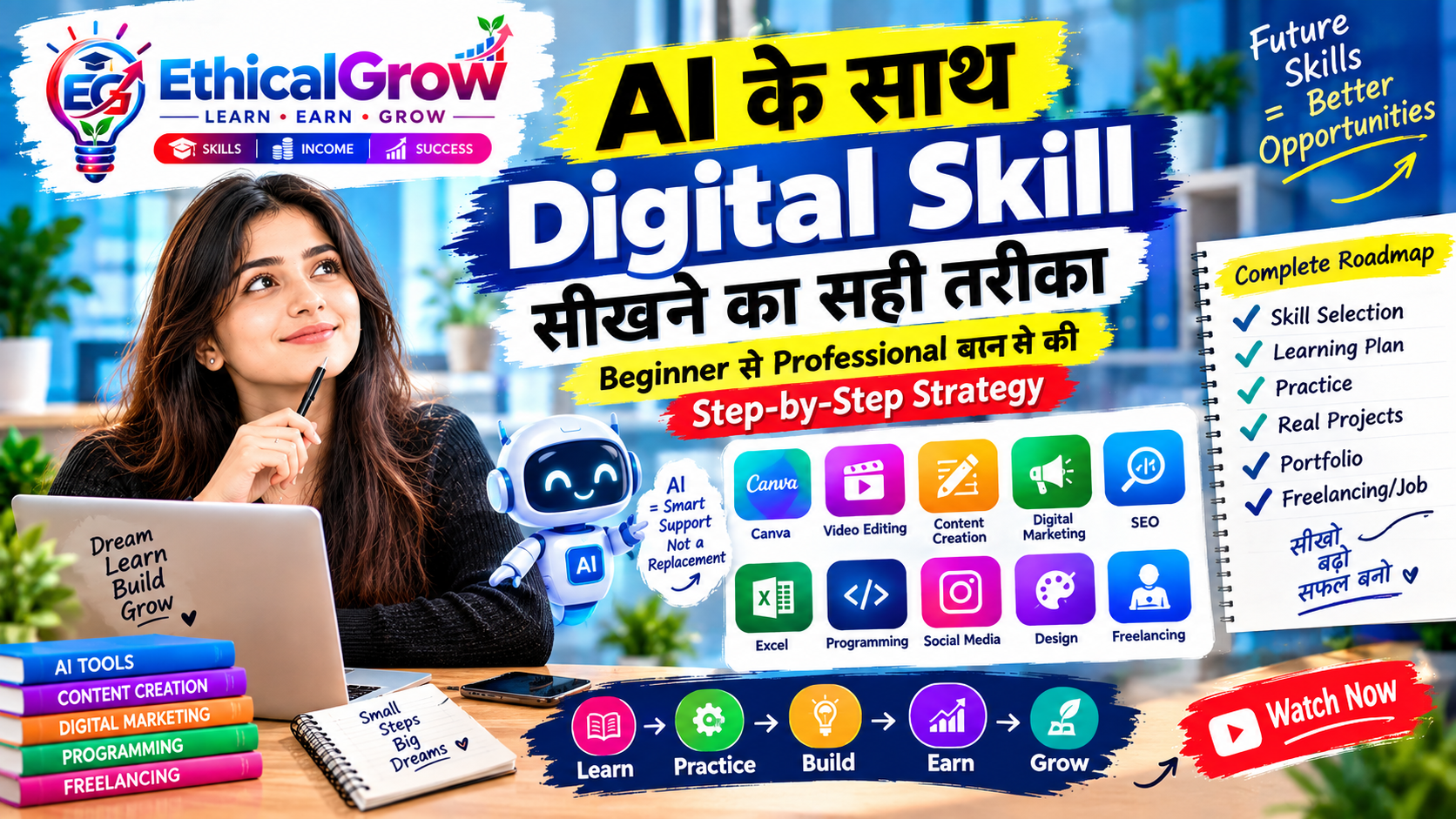
2026 में AI के साथ digital skills सीखने का beginner roadmap
Featured Image Text:
AI + DIGITAL SKILLS 2026
Learn • Practice • Build • Grow
Schema: BlogPosting + BreadcrumbList